| MC715865 | Microsoft 365 admin center: Improved view of service health issue details |
|---|
| Classification | planForChange |
|---|---|
| Last Updated | 02/14/2024 17:34:24 |
| Start Time | 02/14/2024 17:29:06 |
| End Time | 03/14/2024 17:29:06 |
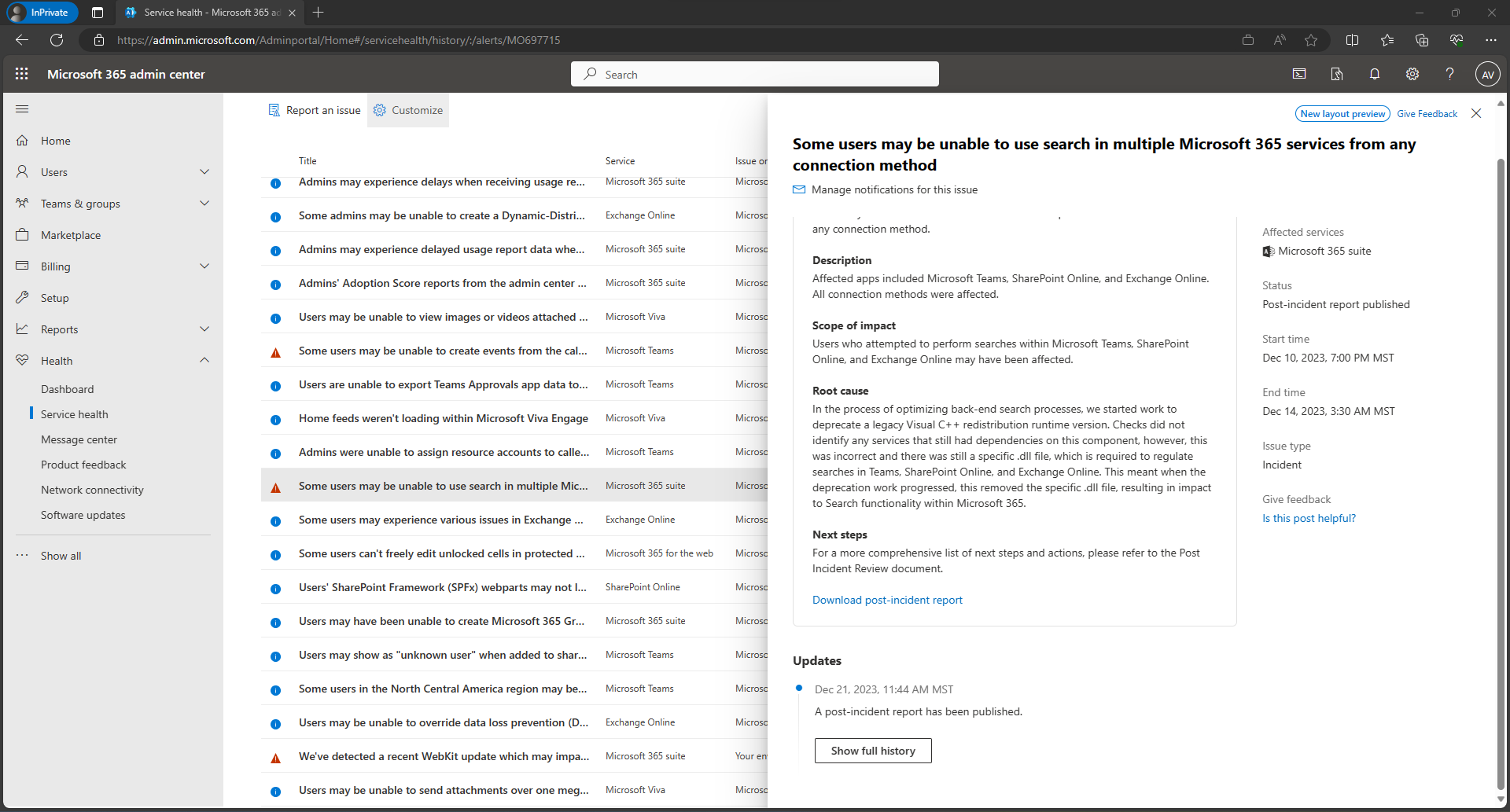
| Message Content | We are introducing a new version of the service health issue details screen in Microsoft 365 admin center. This screen appears when you click on an incident or advisory on the service health page in the Microsoft 365 admin center.
How does this affect me? We will begin rolling out in mid-February 2024 and expect to complete by early March 2024. The new version of this screen substantially reduces the amount of duplicated text and brings key information forward with improved formatting. This gives you quicker access to the information you need and can reduce the time and effort required to get up to speed on service incident details. Admins who view service health information will notice different formatting and layout for service health issues and advisories. What do I need to do to prepare? No action is needed to prepare for this change. You may want to notify your users about this change and update any relevant documentation as appropriate. |
| Machine Translation | Microsoft 365 管理センターにサービス正常性の問題の詳細画面の新しいバージョンが導入されています。この画面は、Microsoft 365 管理センターのサービス正常性ページでインシデントまたはアドバイザリをクリックすると表示されます。
どのような影響がありますか? 2024 年 2 月中旬にロールアウトを開始し、2024 年 3 月上旬までに完了する予定です。 この画面の新しいバージョンでは、重複するテキストの量が大幅に減り、書式設定が改善されて重要な情報が前面に表示されます。これにより、必要な情報にすばやくアクセスできるようになり、サービス インシデントの詳細を把握するために必要な時間と労力を削減できます。サービス正常性情報を表示する管理者は、サービス正常性の問題とアドバイザリの書式設定とレイアウトが異なることに気付くでしょう。 準備には何が必要ですか? この変更に備えるためのアクションは必要ありません。この変更についてユーザーに通知し、必要に応じて関連ドキュメントを更新することをお勧めします。 |