| MC716006 | Microsoft Lists: New forms experience |
|---|
| Classification | stayInformed |
|---|---|
| Last Updated | 02/14/2024 23:45:02 |
| Start Time | 02/14/2024 23:44:32 |
| End Time | 06/10/2024 07:00:00 |
| Message Content |
In Microsoft Lists, list owners and collaborators with permission to edit the list will be able to collect information on their lists with these updated Lists forms. Lists forms can be created quickly and shared with a link. The recipient can focus on filling out the form without seeing your full list. All submitted responses appear immediately as new list items that list collaborators can see and refine. Lists forms work well in scenarios such as recruitment tracking, managing orders, tracking customer issues, filing expenses, etc. For example, an event organizer can create and manage multiple forms for the same list to track attendees, feedback, logistics, and more, with each form collecting a part of the full list. Please note:
This message is associated with Microsoft 365 Roadmap ID 124865.
[When this will happen:] Targeted release (entire organization): We will begin rolling out late Feb 2024 and expect to complete by mid-March 2024. Standard release, GCC, GCC High, DoD, USSec, USNat: We will begin rolling out mid-March 2024 and expect to complete by late April 2024. [How this will affect your organization:] For a form creator: We have a modernized form builder. To create a form or access existing forms, select Forms on the command bar at the top of a list. When you create a new form, the form builder opens and uses the fields from the list schema. As the form creator, you can add fields and show/hide fields. You can change the theme and share the form with a link. You can also stop accepting form responses. The Forms command is hidden from users who lack permission to edit that list. For a form responder: Anyone in your organization can access the form through a link and submit their responses. After logging in, the responder can complete the form on a desktop or mobile browser. The form responder does not gain any extra permissions by submitting the form. Below are screenshots of this feature in action:
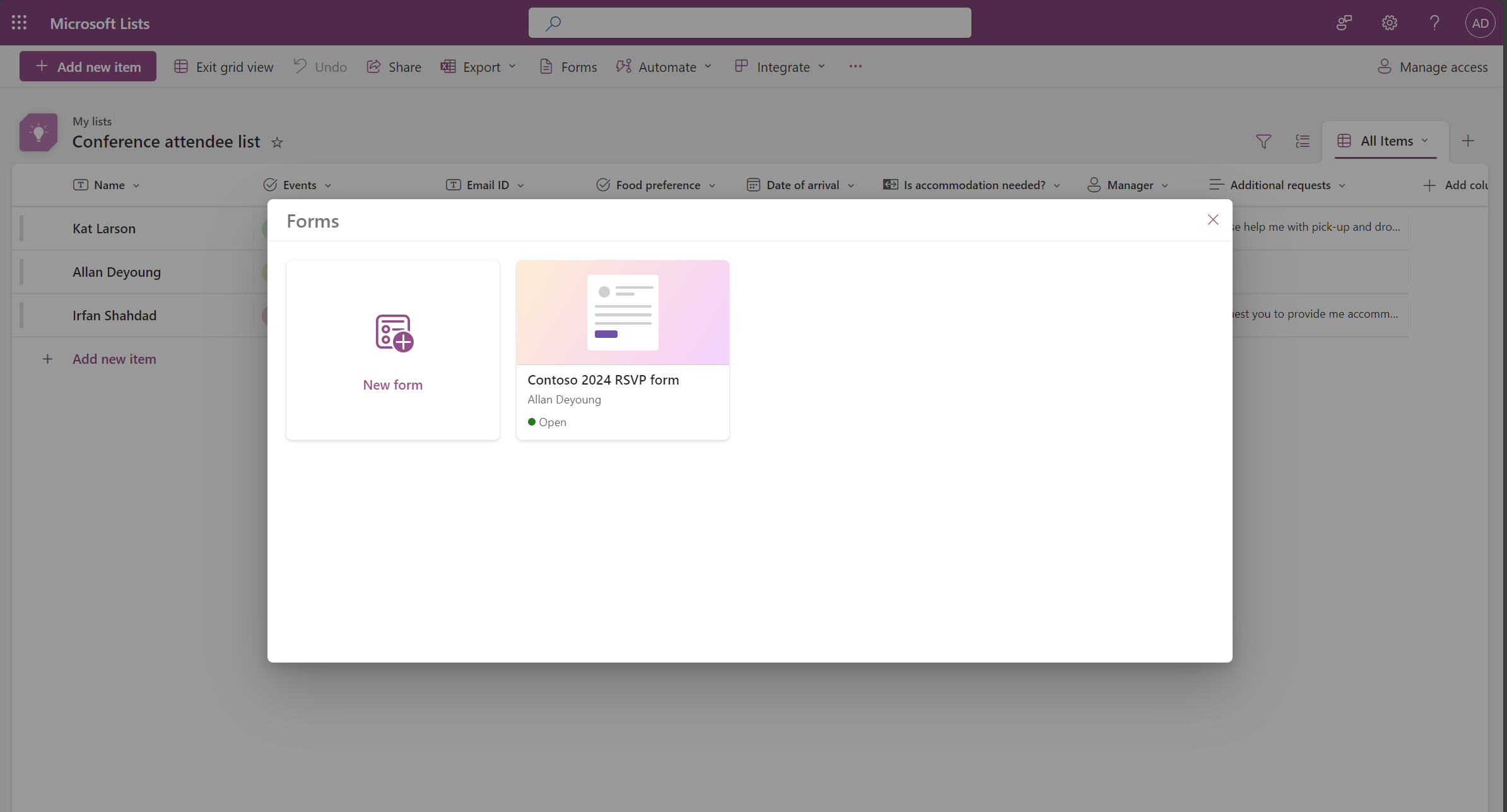
Manage your forms:
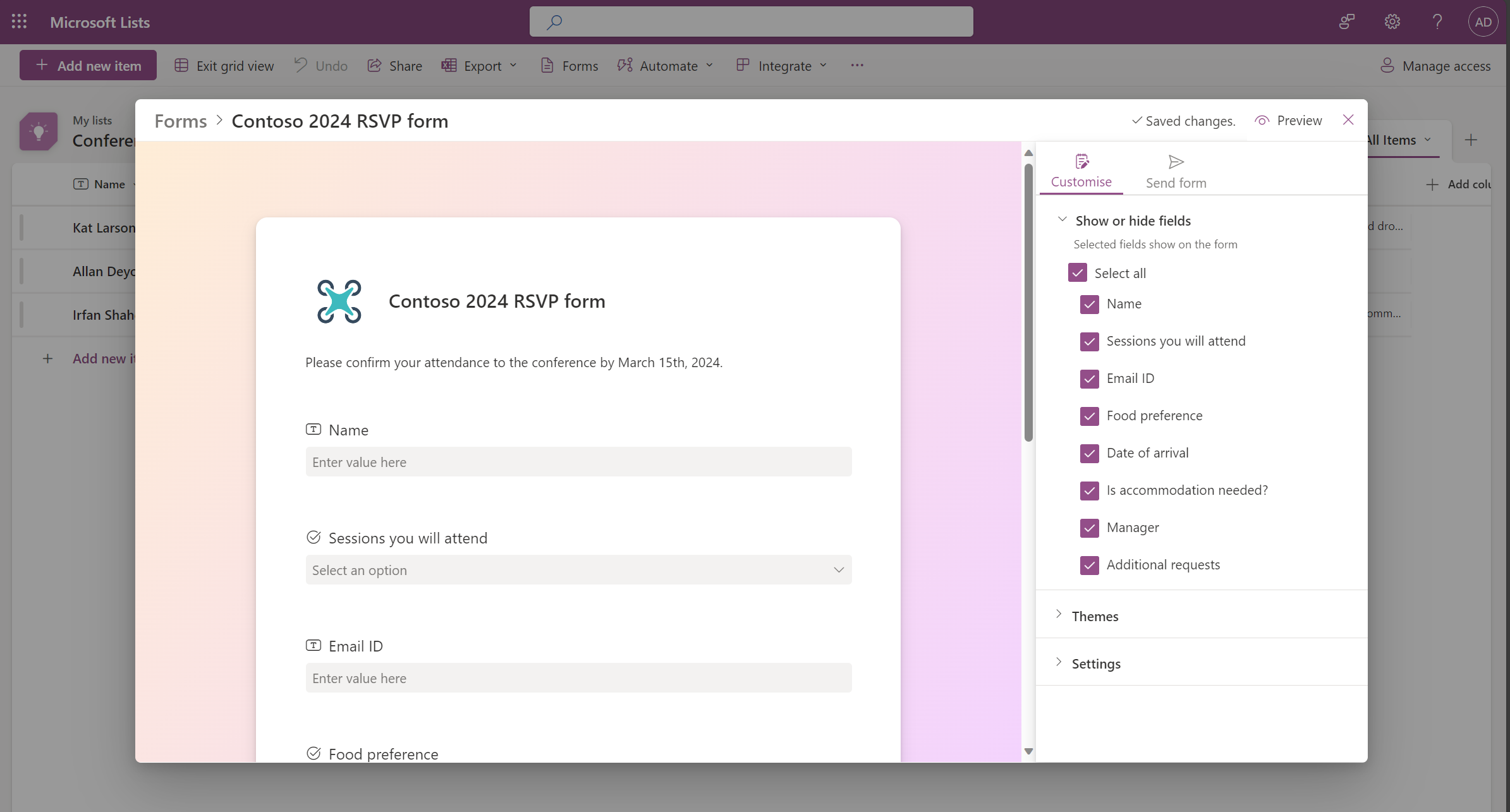
Form builder: Add fields and show, hide, or rearrange them:
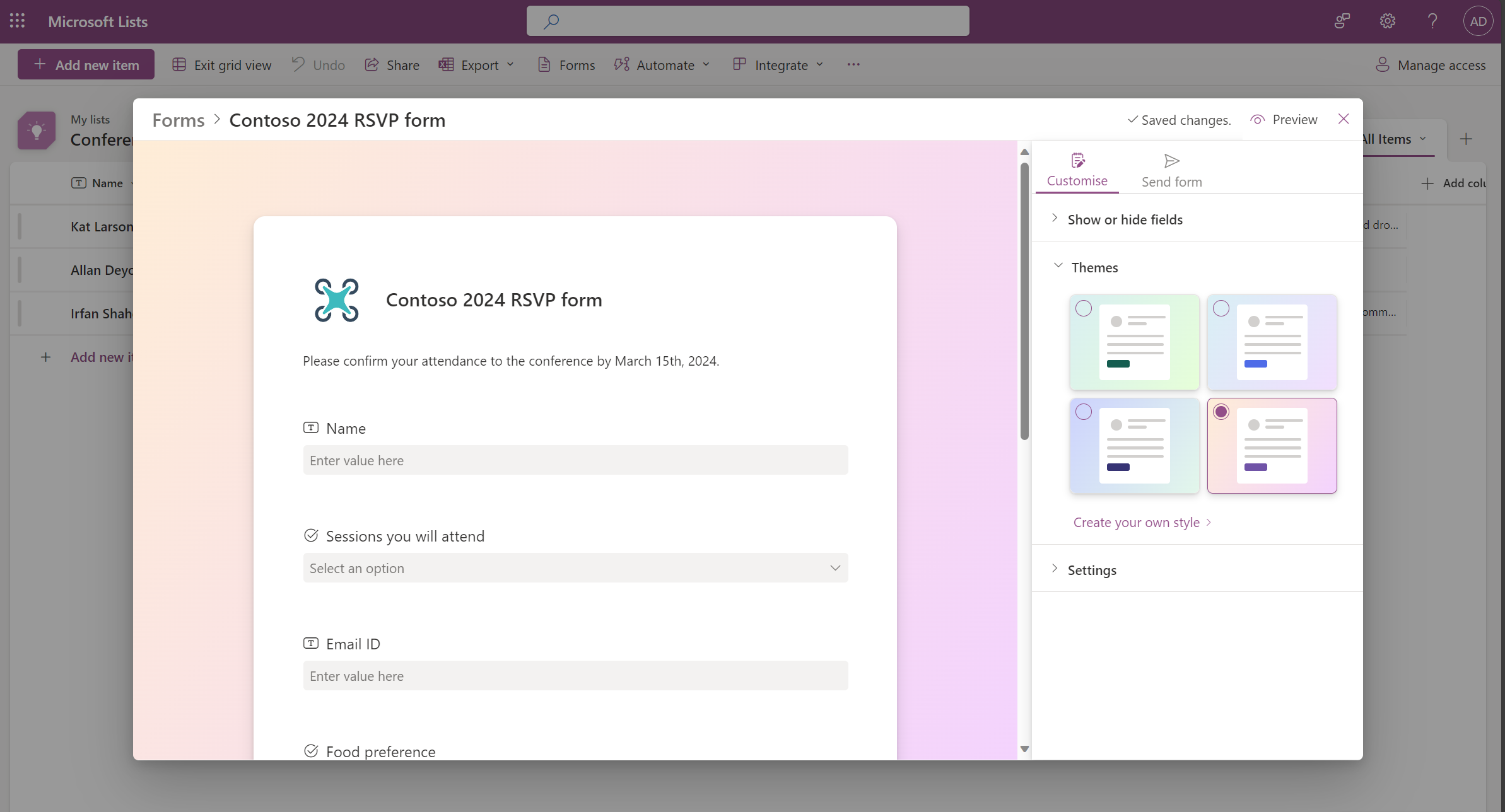
Choose a theme for your form:
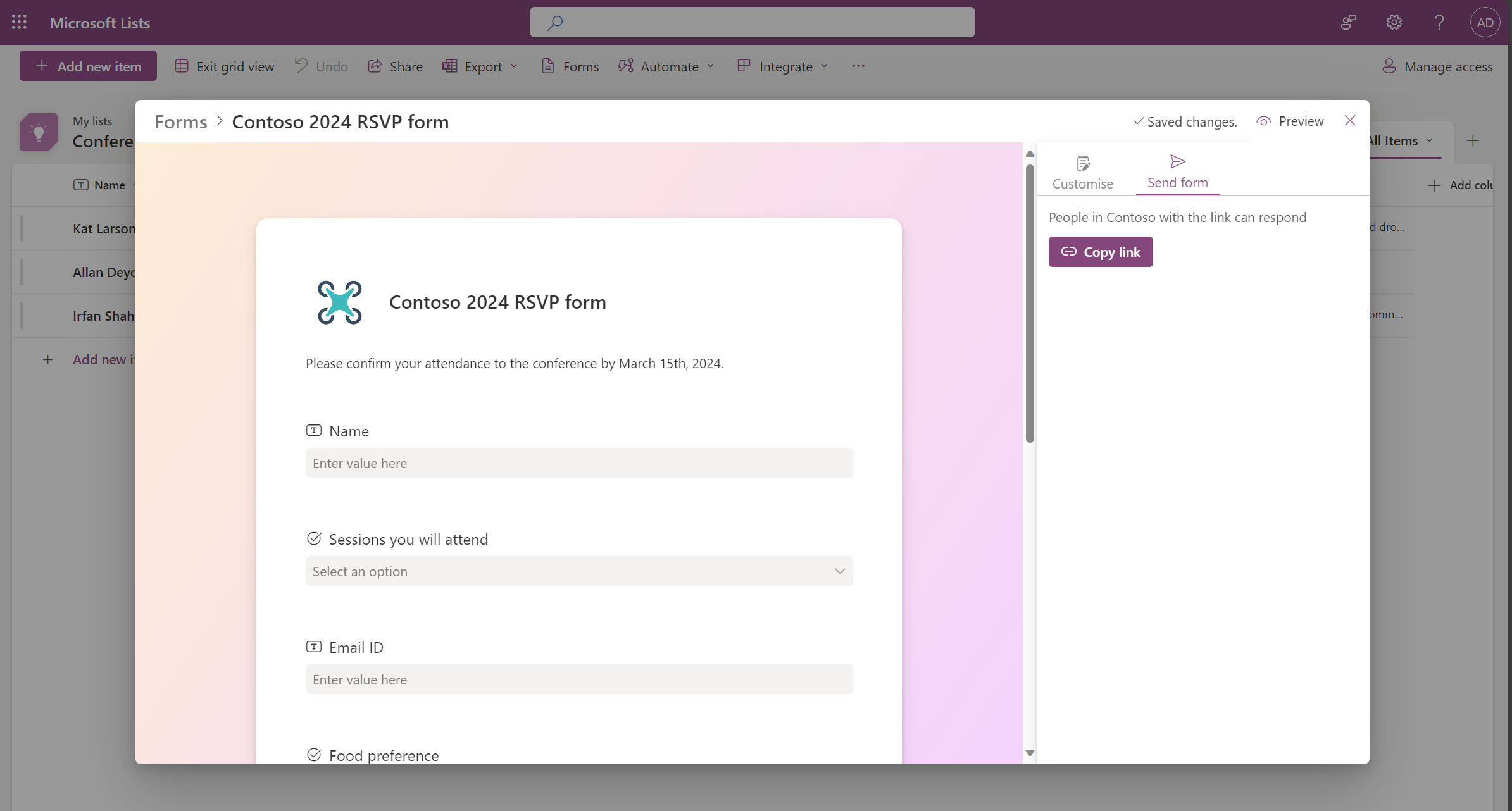
Send the form as a link to anyone in your organization:
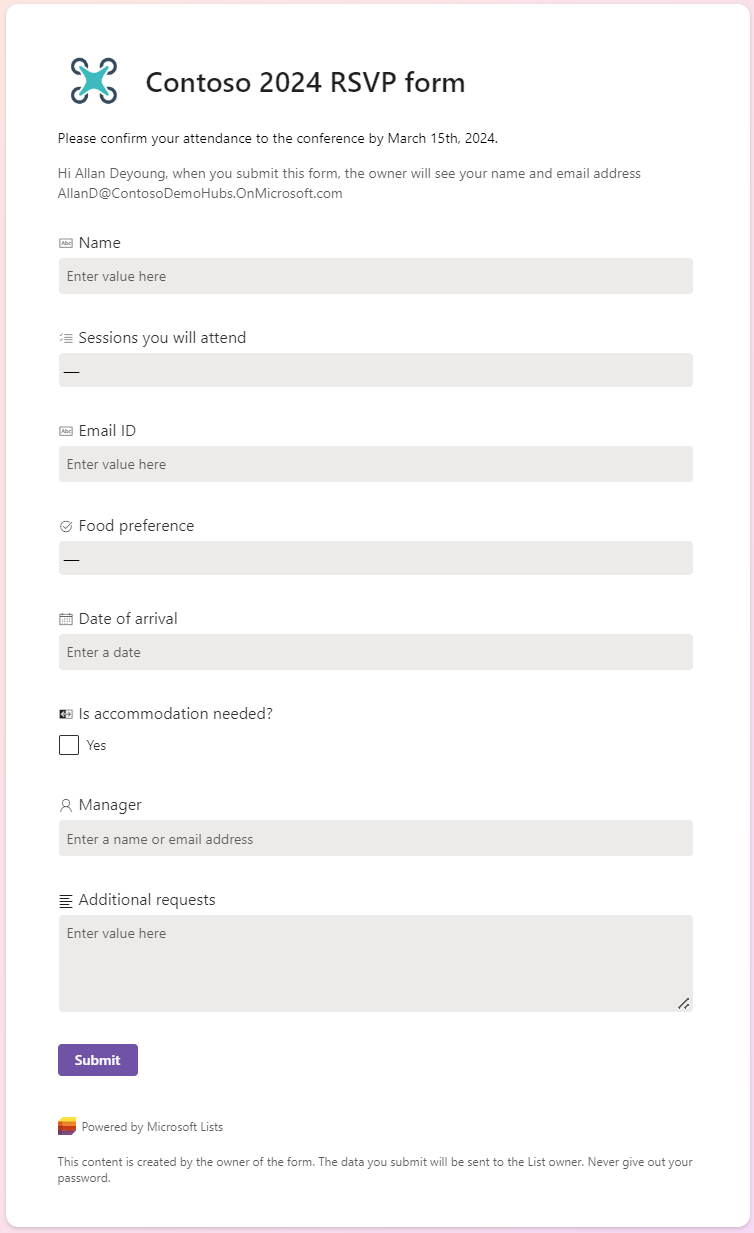
Form responders can log in, open the form in the browser, and fill in the form:
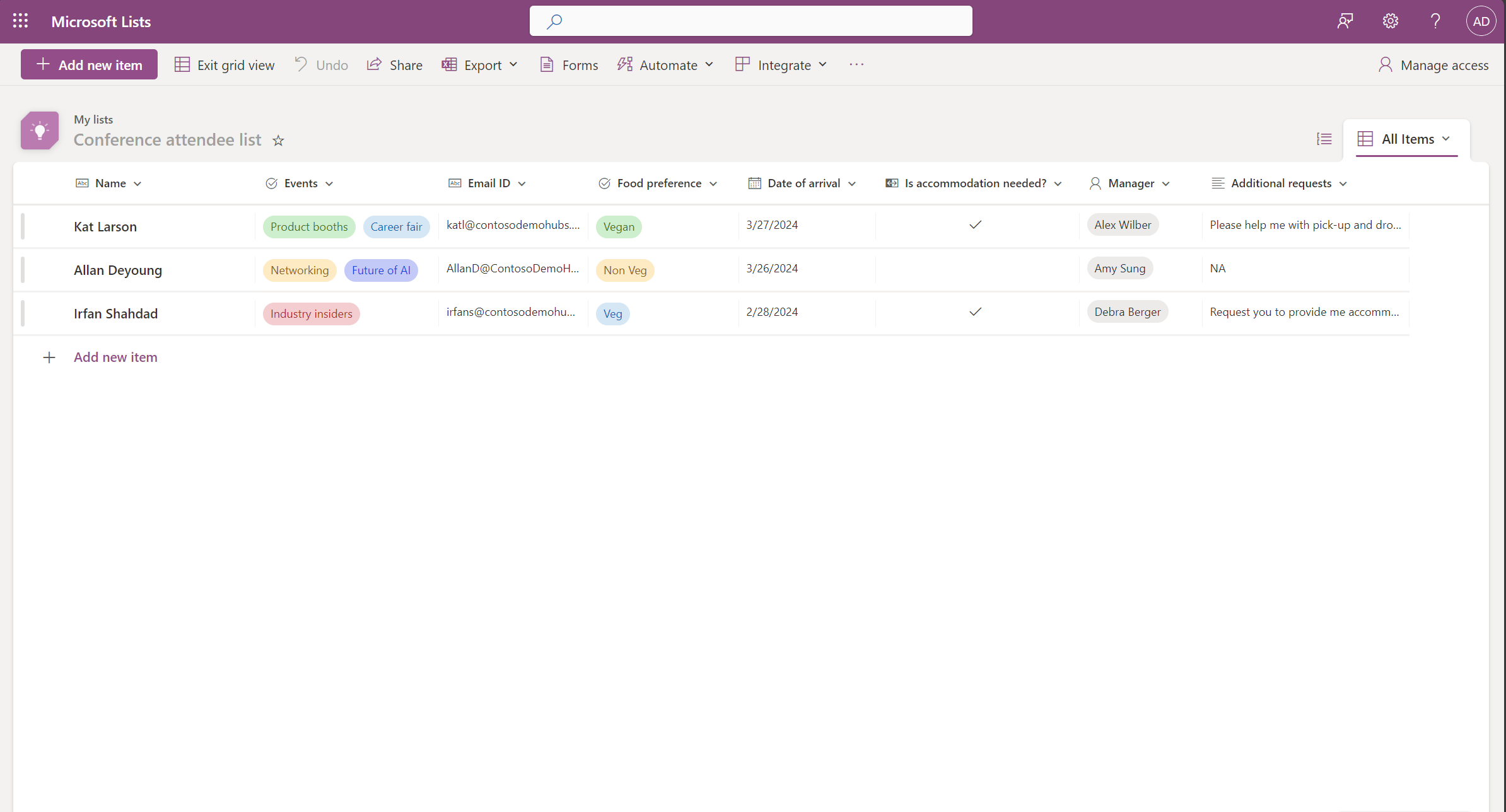
Form responses start appearing in the list as items:
[What you need to do to prepare:]
You may want to notify your users about these new features and update your training and documentation as appropriate. To learn how this feature was originally disclosed at Microsoft Ignite (May 2023): Microsoft Lists: Easier, Better, Faster, Stronger – Microsoft Community Hub). |
| Machine Translation |
Microsoft Lists では、リストの所有者と、リストを編集するアクセス許可を持つ共同作業者は、これらの更新されたリスト フォームを使用して、リストに関する情報を収集できます。 リストフォームをすばやく作成し、リンクで共有できます。受信者は、完全なリストを見ることなく、フォームへの入力に集中できます。送信されたすべての回答は、リストの共同作業者が表示および絞り込むことができる新しいリスト項目としてすぐに表示されます。 リストフォームは、採用の追跡、注文の管理、顧客の問題の追跡、経費の申告などのシナリオでうまく機能します。たとえば、イベント開催者は、同じリストに対して複数のフォームを作成および管理して、出席者、フィードバック、ロジスティクスなどを追跡し、各フォームで完全なリストの一部を収集できます。 ご注意:
このメッセージは、Microsoft 365 ロードマップ ID 124865に関連付けられ ています。
[これがいつ起こるか:] 対象指定リリース (組織全体): 2024 年 2 月下旬にロールアウトを開始し、2024 年 3 月中旬までに完了する予定です。 標準リリース、GCC、GCC High、DoD、USSec、USNat: 2024 年 3 月中旬にロールアウトを開始し、2024 年 4 月下旬までに完了する予定です。 [これが組織に及ぼす影響:] フォーム作成者の場合: 最新のフォームビルダーがあります。フォームを作成するか、既存のフォームにアクセスするには、リストの上部にあるコマンド バーで フォーム を選択します 。新しいフォームを作成すると、フォームビルダーが開き、リストスキーマのフィールドが使用されます。フォーム作成者は、フィールドを追加したり、フィールドを表示/非表示にしたりできます。テーマを変更したり、リンクでフォームを共有したりできます。また、フォームの回答の受け付けを停止することもできます。 [フォーム] コマンド は、そのリストを編集する権限がないユーザーには表示されません。 フォームレスポンダーの場合: 組織内の誰でも、リンクからフォームにアクセスし、回答を送信できます。ログイン後、レスポンダーはデスクトップまたはモバイルブラウザでフォームに入力できます。フォームの応答者は、フォームを送信しても追加のアクセス許可を取得しません。 以下は、この機能の動作のスクリーンショットです。
フォームを管理します。
フォームビルダー:フィールドを追加し、表示、非表示、または並べ替えます。
フォームのテーマを選択します。
組織内の誰にでもフォームをリンクとして送信します。
フォームの応答者は、ログインし、ブラウザーでフォームを開き、フォームに入力できます。
フォームの回答が項目としてリストに表示されるようになります。
[準備に必要なこと:]
これらの新機能についてユーザーに通知し、必要に応じてトレーニングとドキュメントを更新することができます。 この機能が Microsoft Ignite (2023 年 5 月) で最初に公開された方法については、「 Microsoft Lists: Easier, Better, Faster, Stronger – Microsoft Community Hub」を参照してください。 |