| MC499441 | (Updated) The Room Remote feature for desktop |
|---|
| Classification | stayInformed |
|---|---|
| Last Updated | 02/16/2024 21:26:04 |
| Start Time | 01/20/2023 06:29:28 |
| End Time | 04/01/2024 08:00:00 |
| Message Content |
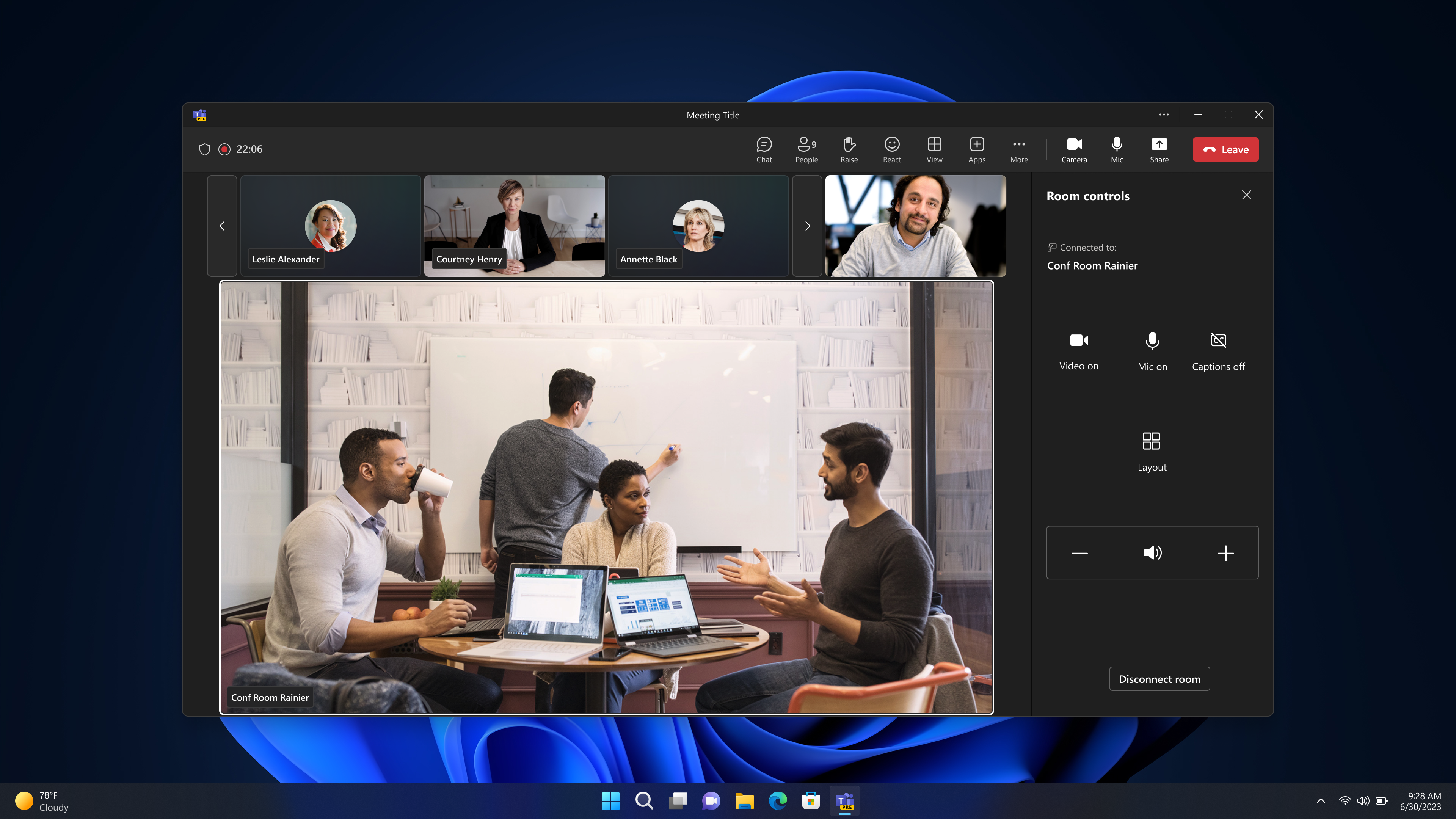
Updated February 16, 2024: We have updated the content below with additional information. Thank you for your patience. The Room Remote feature enables touchless meetings by allowing users to control a nearby shared meeting room device from their Desktop/PC with Teams client. This feature was first launched on Mobile and will now be available on your Desktop device formfactor. This message is associated with Microsoft 365 Roadmap ID 95482 [When this will happen] Rollout to commercial tenants is expected to start mid-January 2024 and will complete late February 2024 (previously early February). GCCH and DoD will be announced in a separate message at a later date. [How this will affect your organization] Room Remote is and existing mobile feature that’s arriving on Windows desktop, and will be automatically available on the Teams desktop client on your Windows Desktop PC so long that the Room Remote feature is enabled on the shared meeting room device and in TAC.
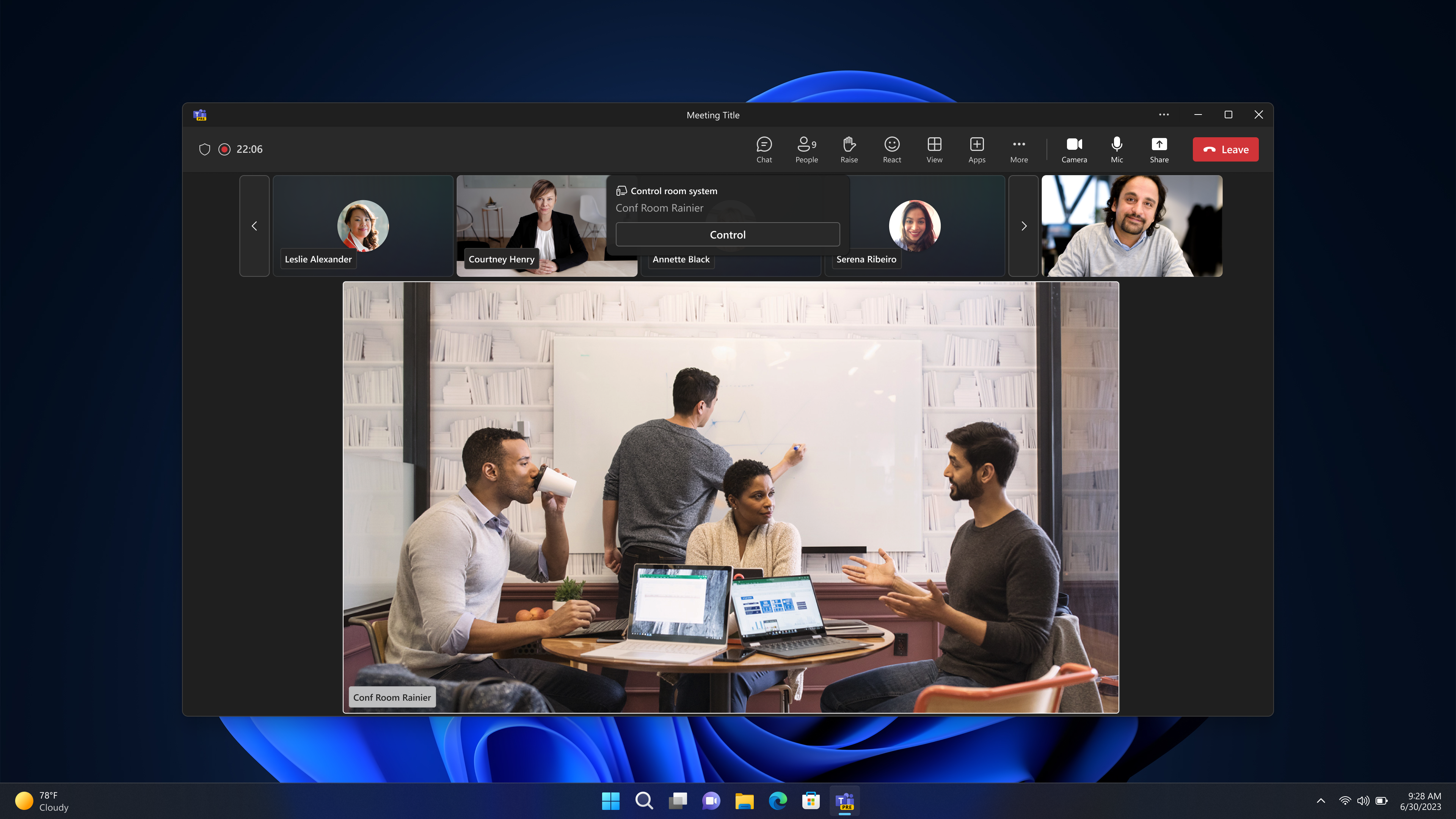
When users proximity join a meeting, a banner will appear, prompting the user to take control of the room system.
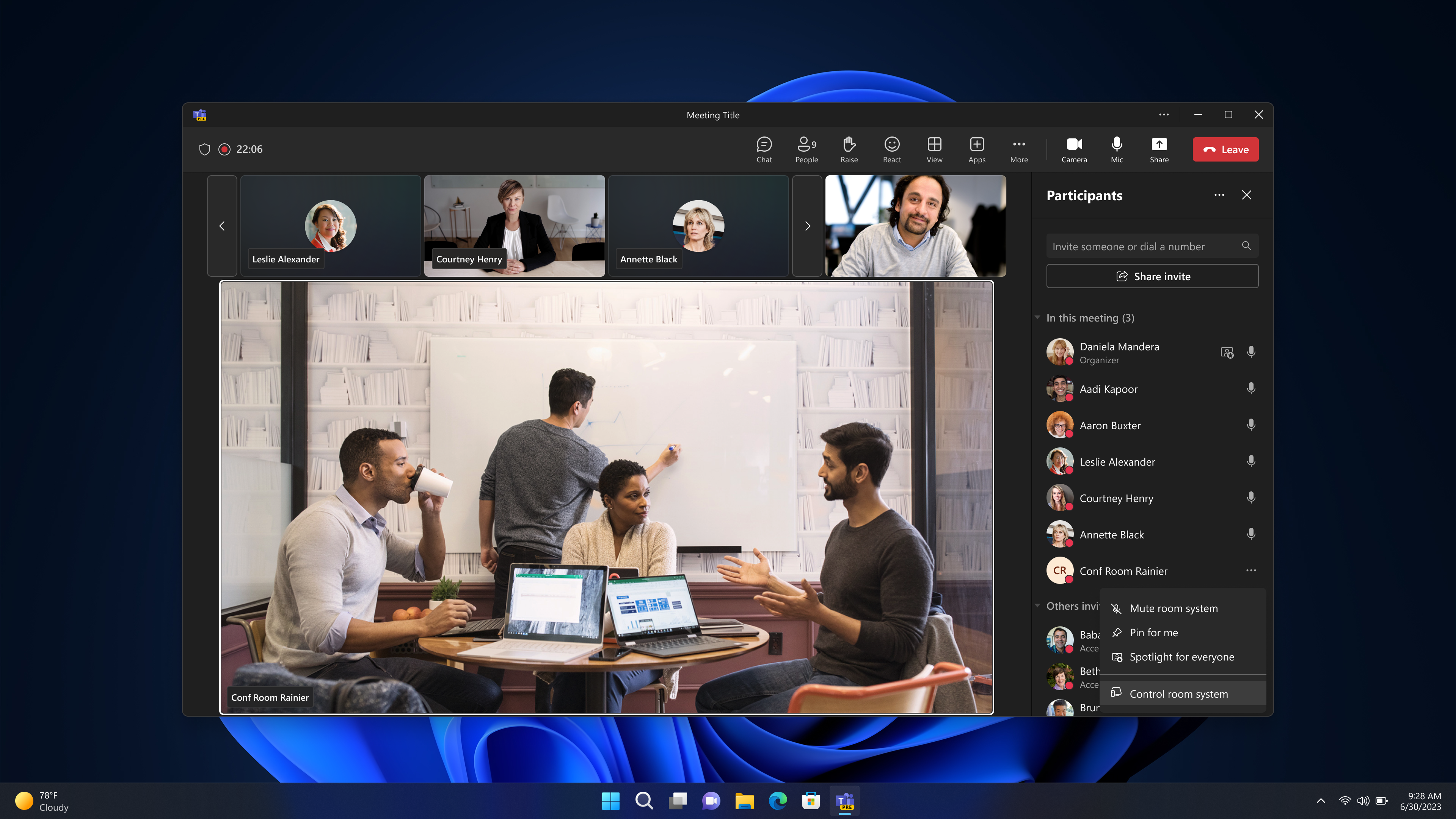
Any time during a meeting, in-room users can also access Room Remote on their desktop client through the roster. The room menu in roster will show an option to Control Room System. That option will launch Room Remote.
[What you need to do to prepare:] You may want to notify your users about this new capability and update your training and documentation as appropriate. Room Remote requires Bluetooth to be enabled, and the feature to be enabled on the shared meeting room device and in TAC. |
| Machine Translation |
2024 年 2 月 16 日更新: 以下の内容を更新し、追加情報を追加しました。何卒ご理解のほどよろしくお願いいたします。 Room Remote 機能は、ユーザーが Teams クライアントを使用してデスクトップ/PC から近くの共有会議室デバイスを制御できるようにすることで、タッチレス会議を可能にします。 この機能はモバイルで最初にリリースされ、デスクトップデバイスのフォームファクタで利用できるようになりました。 このメッセージは、Microsoft 365 ロードマップ ID 95482 に関連付けられています [いつになるか] 商業テナントへの展開は2024年1月中旬に開始され、2024年2月下旬(以前は2月上旬)に完了する予定です。GCCHと国防総省は、後日別のメッセージで発表されます。 [これが組織に及ぼす影響] Room Remote は、Windows デスクトップに搭載される既存のモバイル機能であり、共有会議室デバイスと TAC で Room Remote 機能が有効になっている限り、Windows デスクトップ PC の Teams デスクトップ クライアントで自動的に利用できるようになります。
ユーザーが会議に近接して参加すると、バナーが表示され、ユーザーにルーム システムを制御するように求められます。
ミーティング中はいつでも、会議室内のユーザーは名簿からデスクトップ クライアントの Room Remote にアクセスすることもできます。名簿のルームメニューには、コントロールルームシステムのオプションが表示されます。このオプションを選択すると、Room Remoteが起動します。
[準備に必要なこと:] この新機能についてユーザーに通知し、必要に応じてトレーニングとドキュメントを更新することができます。ルームリモートでは、Bluetooth を有効にし、共有ミーティングルームデバイスと TAC で機能を有効にする必要があります。 |