| MC721853 | Microsoft SharePoint Online: New feedback button |
|---|
| Classification | stayInformed |
|---|---|
| Last Updated | 03/01/2024 03:07:52 |
| Start Time | 03/01/2024 03:07:06 |
| End Time | 06/17/2024 07:00:00 |
| Message Content |
This message is associated with Microsoft 365 Roadmap ID 383405.
[When this will happen:] Targeted Release: We will begin rolling out mid-March 2024 and expect to complete by early April 2024.
Worldwide: We will begin rolling out mid-April 2024 and expect to complete by early May 2024.
[How this will affect your organization:]
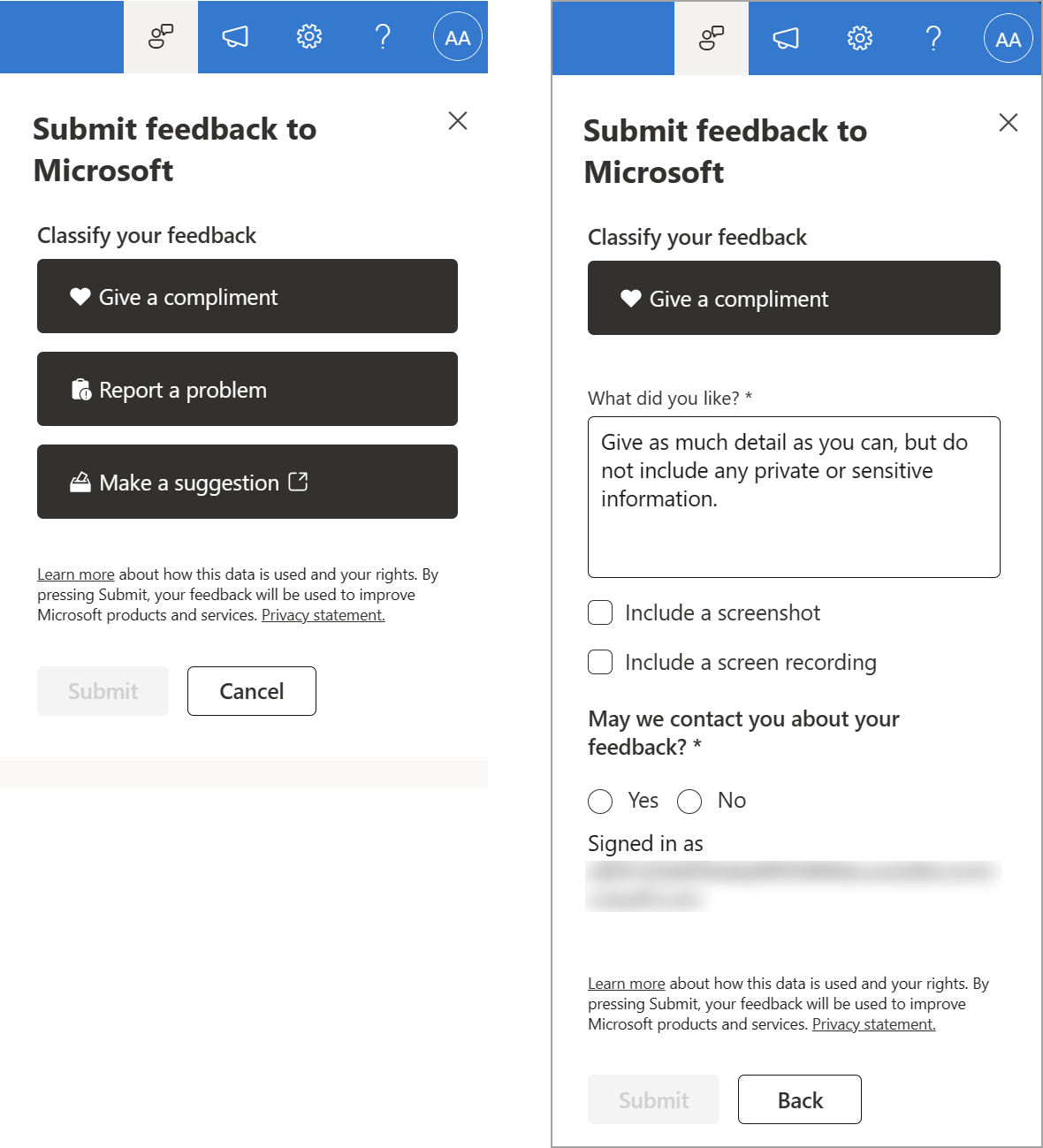
Your end users will see a feedback icon on their SharePoint sites (pages, document libraries, lists, and the SharePoint start page) accessible from the suite navigation.
Microsoft reviews all feedback submitted by customers and uses this feedback to improve products for users and troubleshooting product issues. The feedback we collect from your users is available in the Microsoft 365 Apps admin center if feedback is turned on.
[What you need to do to prepare:]
Feedback collection is on by default. This is controlled by feedback policies in the Microsoft 365 Apps admin center, as part of the Cloud Policy service for Microsoft 365 as outlined in Manage Microsoft feedback for your organization – Microsoft 365 admin | Microsoft Learn.
To turn off feedback collection, use the Cloud Policy service for Microsoft 365 in the Microsoft 365 Apps admin center. For more information, see Overview of Cloud Policy service for Microsoft 365 – Deploy Office | Microsoft Learn.
You can search for “feedback” or “survey” in the Cloud Policy service for Microsoft 365 to find and configure the policy settings.
Learn more
Learn about how to provide feedback to Microsoft – Microsoft 365 admin | Microsoft Learn Manage Microsoft feedback for your organization – Microsoft 365 admin | Microsoft Learn
Overview of Cloud Policy service for Microsoft 365 – Deploy Office | Microsoft Learn
|
| Machine Translation |
このメッセージは、Microsoft 365 ロードマップ ID 383405に関連付けられ ています。
[これがいつ起こるか:] 対象リリース: 2024 年 3 月中旬にロールアウトを開始し、2024 年 4 月上旬までに完了する予定です。
全世界: 2024 年 4 月中旬にロールアウトを開始し、2024 年 5 月上旬までに完了する予定です。
[これが組織に及ぼす影響:]
エンド ユーザーには、スイート ナビゲーションからアクセスできる SharePoint サイト (ページ、ドキュメント ライブラリ、リスト、および SharePoint スタート ページ) にフィードバック アイコンが表示されます。
Microsoft は、お客様から送信されたすべてのフィードバックを確認し、このフィードバックを使用して、ユーザー向けの製品の改善と製品の問題のトラブルシューティングを行います。ユーザーから収集したフィードバックは、フィードバックが有効になっている場合、Microsoft 365 Apps管理センターで利用できます。
[準備に必要なこと:]
フィードバックの収集は既定でオンになっています。これは、「 組織の Microsoft フィードバックを管理する – Microsoft 365 管理者 |Microsoft Learn を参照してください。
フィードバックの収集をオフにするには、Microsoft 365 Apps管理センターで Microsoft 365 のクラウド ポリシー サービスを使用します。詳細については、「 Microsoft 365 のクラウド ポリシー サービスの概要 – Office の展開 |Microsoft Learn を参照してください。
Microsoft 365 のクラウド ポリシー サービスで “フィードバック” または “調査” を検索して、ポリシー設定を見つけて構成できます。
詳細情報
Microsoft にフィードバックを提供する方法を確認する – Microsoft 365 管理者 |Microsoft Learn 組織の Microsoft フィードバックを管理する – Microsoft 365 admin |Microsoft Learn
Microsoft 365 のクラウド ポリシー サービスの概要 – Office の展開 |Microsoft Learn
|