| MC748379 | Microsoft Teams: Intelligent message translation in chats on desktop |
|---|
| Classification | stayInformed |
|---|---|
| Last Updated | 03/20/2024 22:24:48 |
| Start Time | 03/20/2024 22:23:46 |
| End Time | 07/08/2024 07:00:00 |
| Message Content |
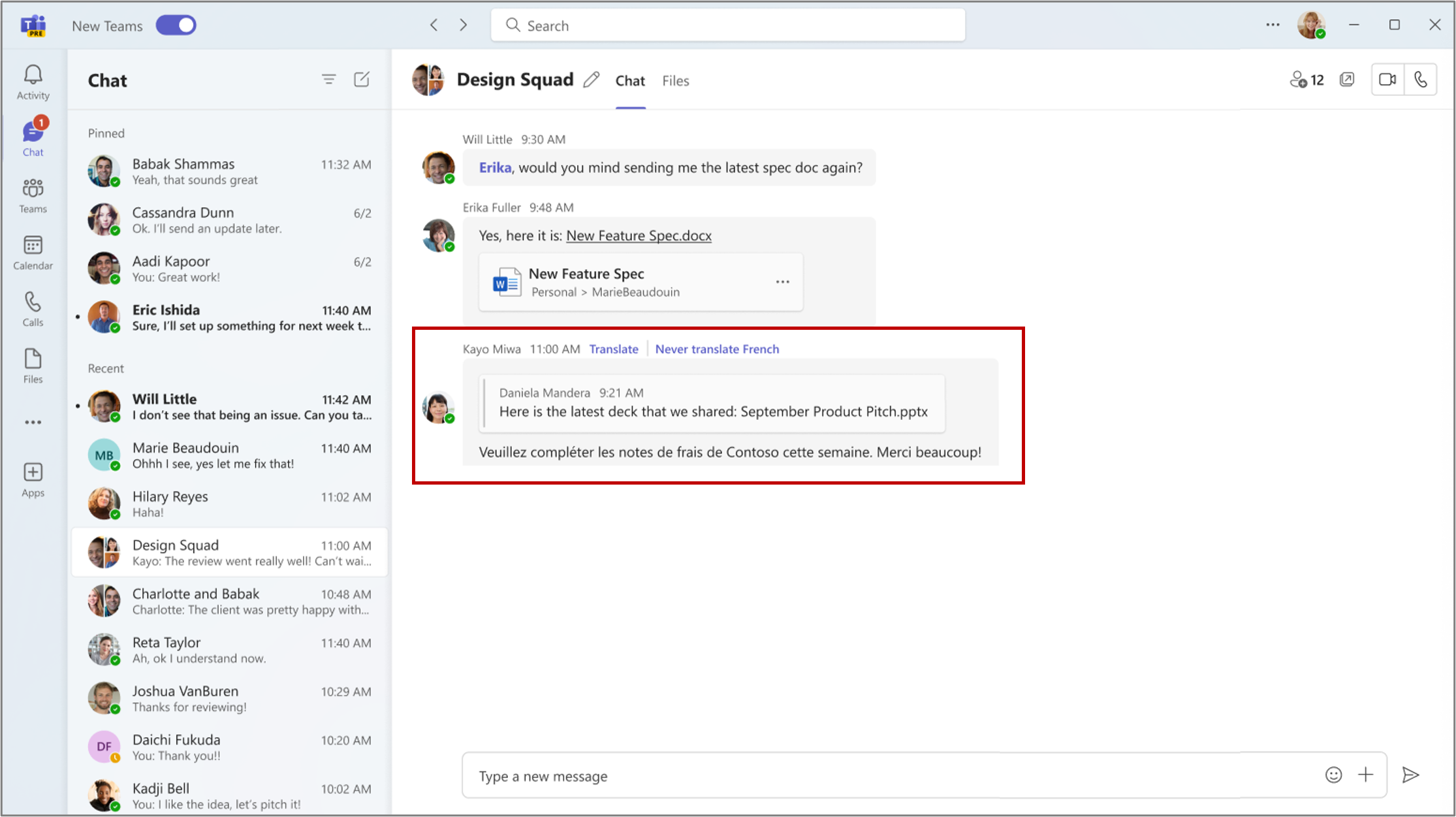
In Microsoft Teams, when you get a message in a different language, you will see translation suggestions to help you understand the message. In settings, you can select which languages you do not want to translate and whether to translate messages automatically. This message is associated with Microsoft 365 Roadmap ID 99841. [When this will happen:] Targeted Release: We will begin rolling out early April 2024 and expect to complete by late April 2024. General Availability (Worldwide, GCC): We will begin rolling out early May 2024 and expect to complete by late May 2024. [How this will affect your organization:] If you receive a Teams chat message in a language that you do not understand, you will see the option to translate the message into your preferred language (the language that you have set for Teams). To enable this option:
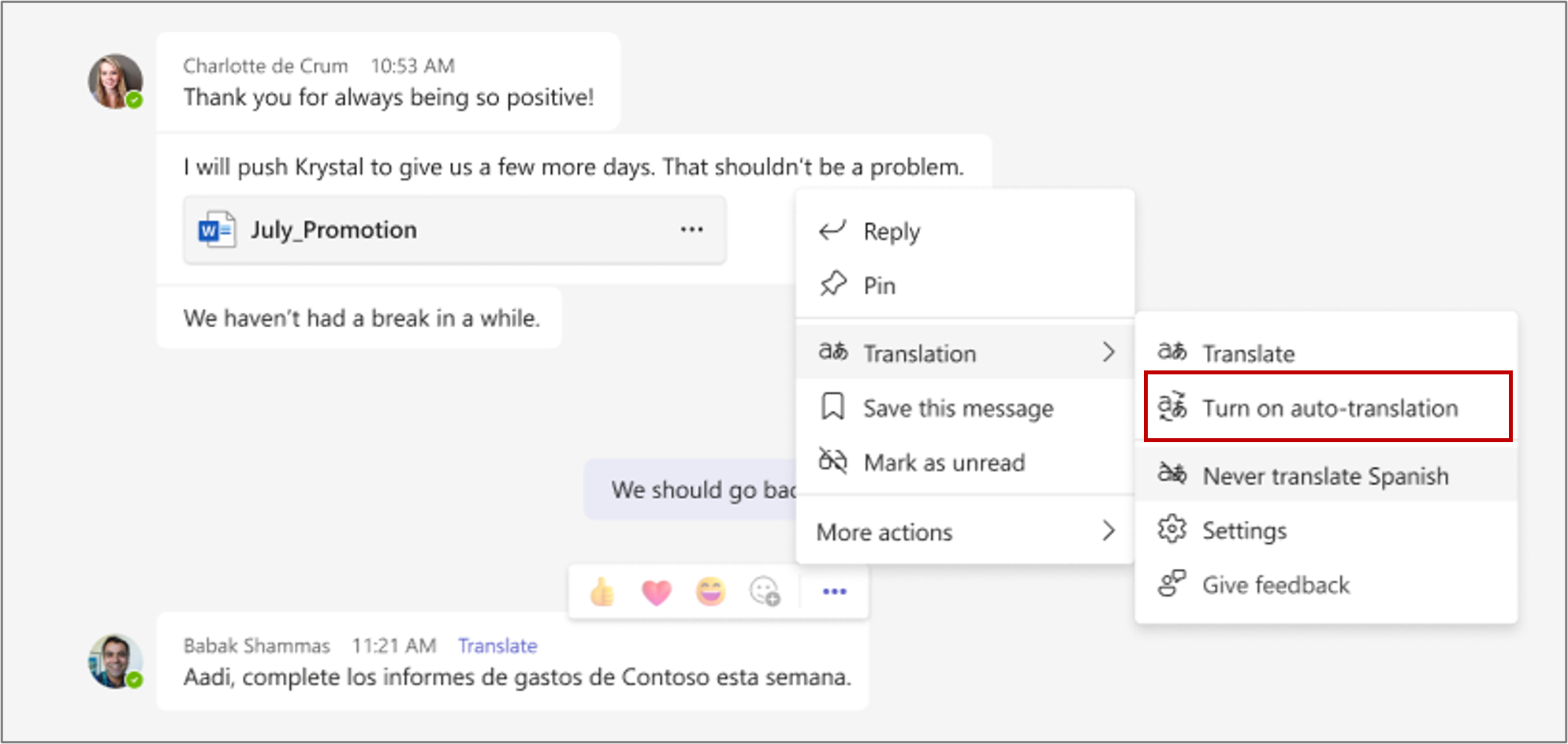
You can choose Turn on auto-translation to automatically translate messages to your preferred language.
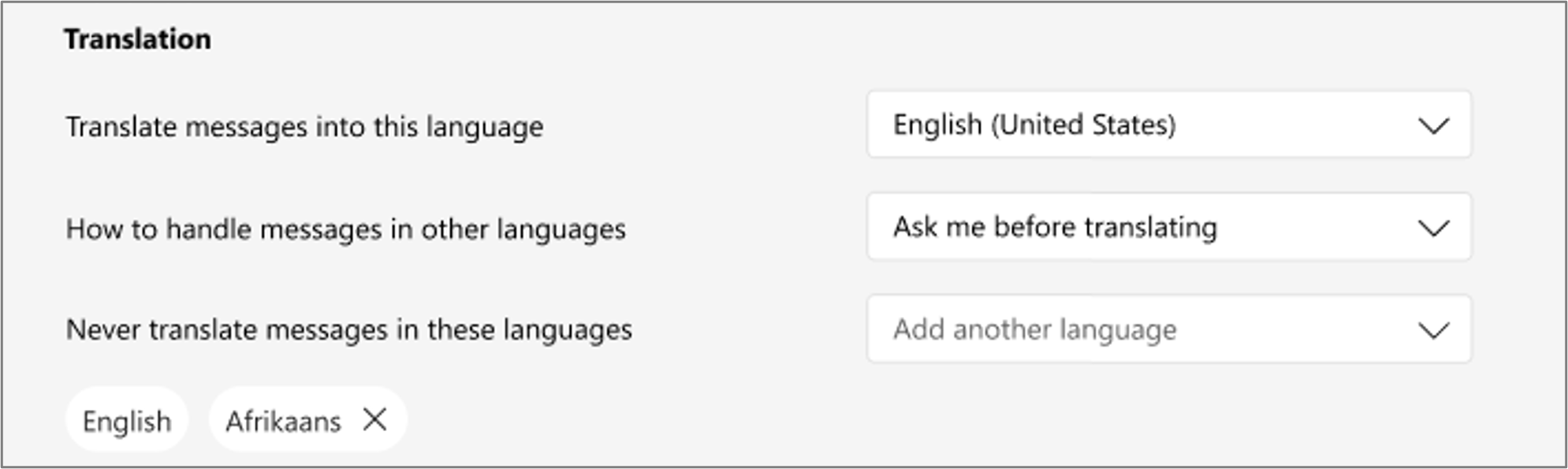
You can access and update your translation settings through Settings > Appearance and accessibility > Translation.
[What you need to do to prepare:] You may want to notify your users about this upcoming capability and update your training and documentation as appropriate. |
| Machine Translation |
Microsoft Teams では、別の言語でメッセージを受け取ると、メッセージを理解するのに役立つ翻訳の提案が表示されます。設定では、翻訳しない言語と、メッセージを自動的に翻訳するかどうかを選択できます。 このメッセージは、Microsoft 365 ロードマップ ID 99841 に関連付けられています。 [これがいつ起こるか:] 対象リリース: 2024 年 4 月上旬にロールアウトを開始し、2024 年 4 月下旬までに完了する予定です。 一般提供 (全世界、GCC): 2024 年 5 月上旬にロールアウトを開始し、2024 年 5 月下旬までに完了する予定です。 [これが組織に及ぼす影響:] 理解できない言語で Teams チャット メッセージを受信した場合は、メッセージを優先言語 (Teams に設定した言語) に翻訳するオプションが表示されます。 このオプションを有効にするには、次のようにします。
[ 自動翻訳をオンにする ] を選択すると、メッセージを希望の言語に自動的に翻訳できます。
翻訳設定にアクセスして更新するには 、[設定] > [外観とアクセシビリティ] > [翻訳] を使用します。
[準備に必要なこと:] この今後の機能についてユーザーに通知し、必要に応じてトレーニングとドキュメントを更新することができます。 |