| MC705349 | (Updated) Join meetings and make calls via Teams Mobile on Android Auto |
|---|
| Classification | stayInformed |
|---|---|
| Last Updated | 04/02/2024 21:02:31 |
| Start Time | 01/09/2024 23:44:55 |
| End Time | 05/20/2024 07:00:00 |
| Message Content |
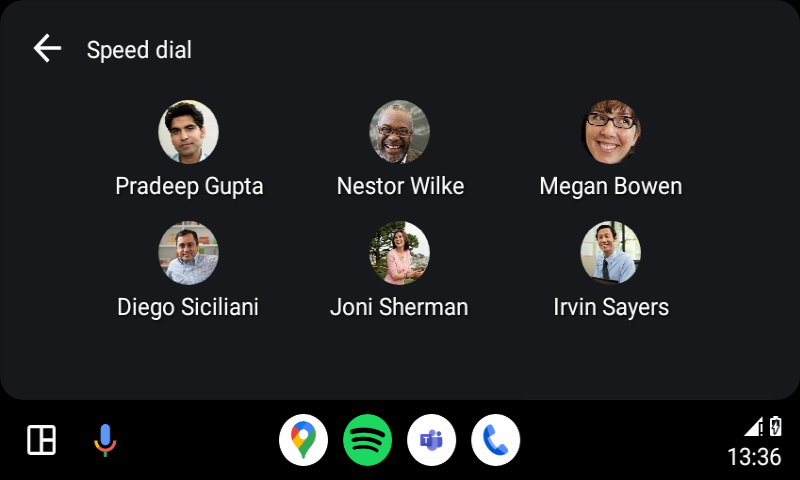
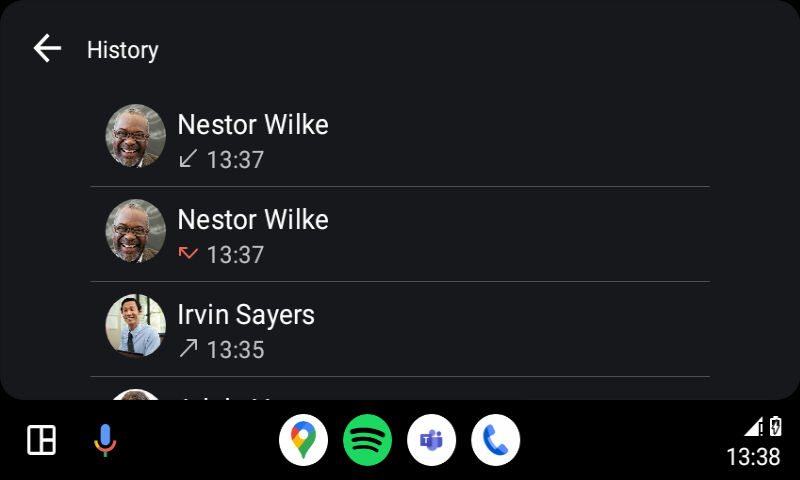
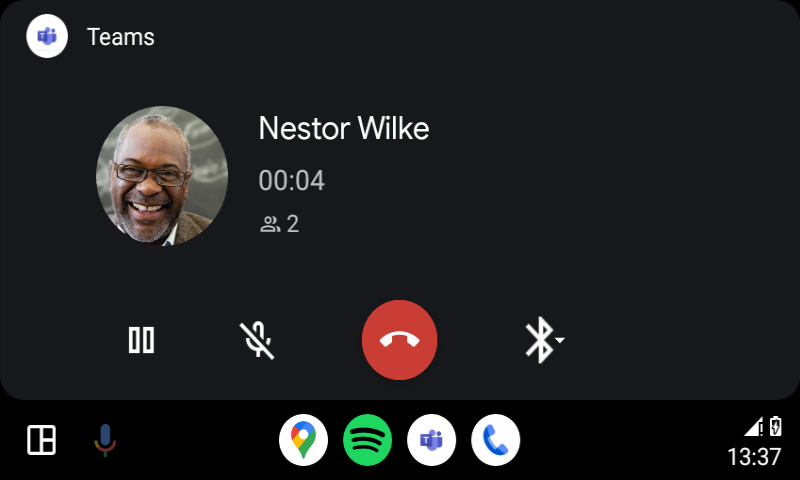
Updated April 2, 2024: We have updated the rollout timeline below. Thank you for your patience. Users can now join meetings via the calendar view, easily call speed dial contacts, and get back to recent calls on Teams on Android Auto with Android phones.
This message is associated with Microsoft 365 Roadmap ID 375701
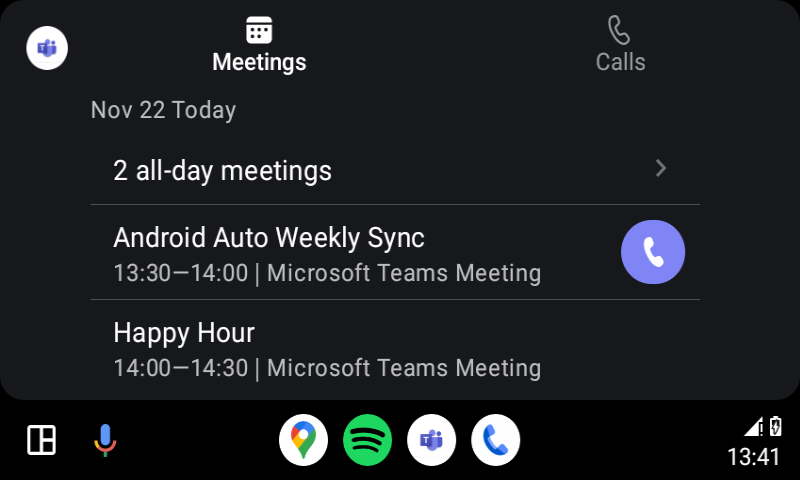
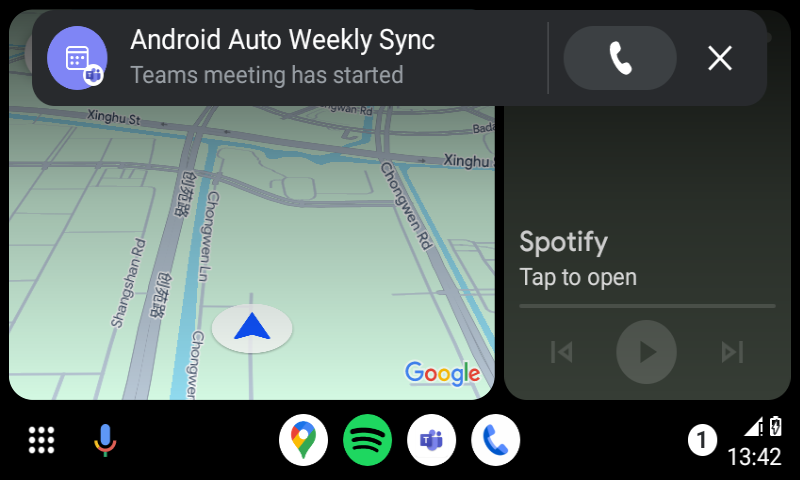
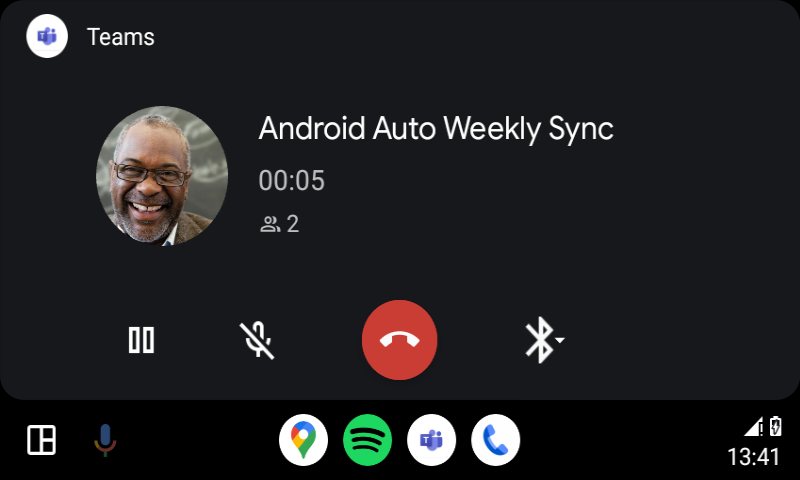
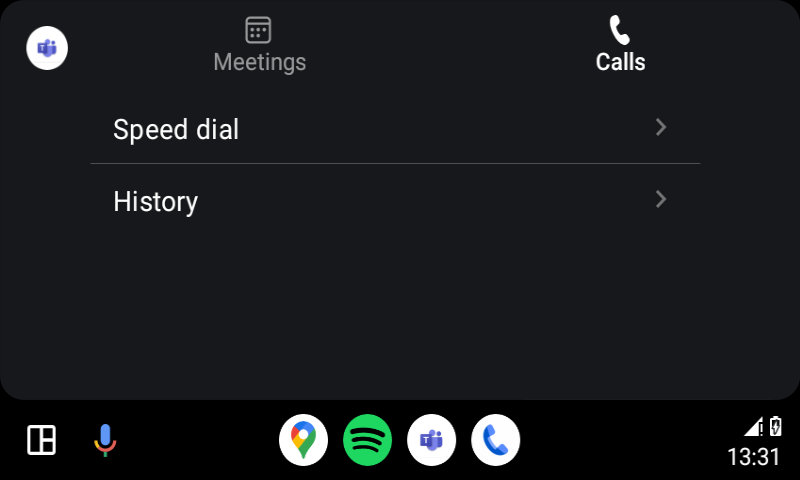
[When this will happen:] Standard Release: We will begin rolling out late February 2024 and expect to complete by early April 2024 (previously early March) [How this will affect your organization:] Users in your organization can join meetings and make calls via Teams for Android Auto. To use this feature: 1. Connect the phone to a car that supports Android Auto. 2. Tap the Teams app icon to launch Teams. 3. On the meetings tab, users will see the meetings for the day. There is an icon indicator on the right for ongoing meetings, and users can tap to join a Teams online meeting. Users can also join the meeting through the meeting started notification when other participants join the meeting if you’ve turned the notification option on in Teams on your phone. 4. On the calls tab, there are two options to make calls – Speed dial and History. Speed dial: users can tap to call their favorite contacts that are added on Teams Desktop or Mobile. History: users can tap to resume their recent incoming, outgoing, or missed calls.
Known limitations:
[What you need to do to prepare:]
There is no action needed to prepare for this change. You may want to notify your users about this change and update any relevant documentation as appropriate. |
| Machine Translation |
2024 年 4 月 2 日更新: 以下のロールアウト タイムラインを更新しました。何卒ご理解のほどよろしくお願いいたします。 ユーザーは、カレンダー ビューから会議に参加したり、連絡先に簡単に電話をかけたり、Android スマートフォンを使用して Android Auto の Teams で最近の通話に戻ったりできるようになりました。
このメッセージは、Microsoft 365 ロードマップ ID 375701に関連付けられています
[これがいつ起こるか:] 標準リリース: 2024 年 2 月下旬にロールアウトを開始し、2024 年 4 月上旬 (以前は 3 月上旬) までに完了する予定です [これが組織に及ぼす影響:] 組織内のユーザーは、Teams for Android Autoを介して会議に参加したり、電話をかけたりできます。 この機能を使用するには、次の手順を実行します。 1.AndroidAutoをサポートする車に電話を接続します。 2. Teamsアプリのアイコンをタップして、Teamsを起動します。 3. [ミーティング] タブでは、その日のミーティングが表示されます。進行中の会議の右側にはアイコン インジケーターがあり、ユーザーはタップして Teams オンライン会議に参加できます。電話の Teams で通知オプションをオンにしている場合、ユーザーは、他の参加者が会議に参加したときに会議開始通知を使用して会議に参加することもできます。 4. [通話] タブには、短縮ダイヤルと履歴の 2 つのオプションがあります。 短縮ダイヤル: ユーザーはタップして、Teams デスクトップまたはモバイルに追加されたお気に入りの連絡先に電話をかけることができます。 履歴:ユーザーはタップして、最近の着信、発信、または不在着信を再開できます。
既知の制限事項:
[準備に必要なこと:]
この変更に備えるために必要なアクションはありません。この変更についてユーザーに通知し、必要に応じて関連ドキュメントを更新することをお勧めします。 |