| MC776191 | Microsoft Teams: Updates to sharing app content in a meeting |
|---|
| Classification | stayInformed |
|---|---|
| Last Updated | 04/12/2024 23:07:51 |
| Start Time | 04/12/2024 23:07:13 |
| End Time | 07/05/2024 07:00:00 |
| Message Content |
Coming soon: We are rolling out two updates to app sharing in Microsoft Teams meetings. This message is associated with Microsoft 365 Roadmap ID 389844. [When this will happen:] Public Developer Preview: We will begin rolling out mid-April 2024 and expect to complete by mid-April 2024. General Availability (Worldwide, GCC, GCC High, DoD): We will begin rolling out mid-May 2024 and expect to complete by late May 2024. [How this will affect your organization:] After the rollout:
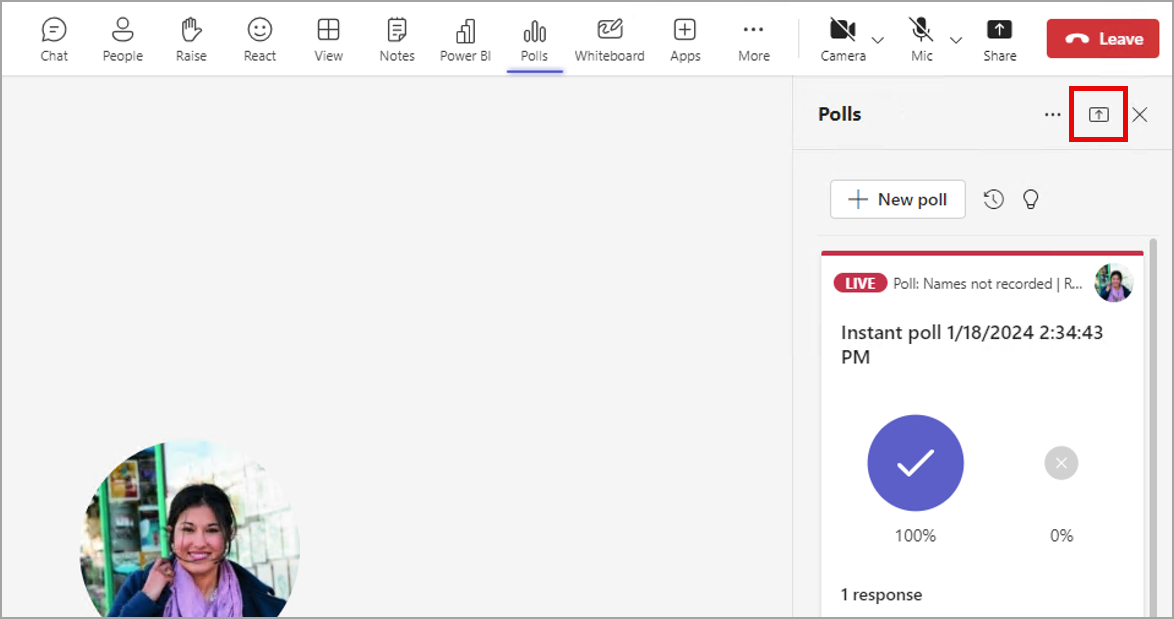
Note: the new features in this rollout are not meant to replace the currently existing collaborative experience in Teams Live Share. The new features can be implemented alongside Live Share if desired. This rollout does not require user education, because the small Share icon and one-click sharing already exists. Screenshot 1: To share an app, select the small Share icon in the top right corner of the app panel:
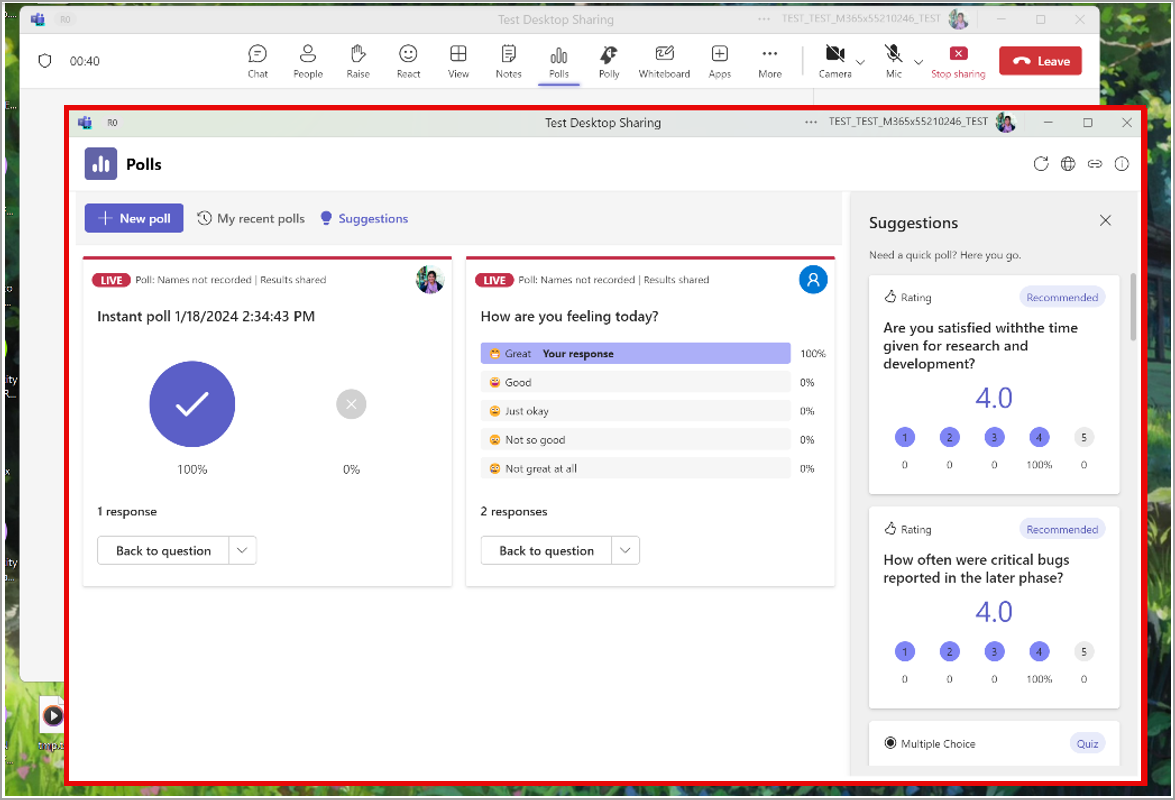
Screenshot 2: The presenter view (popped out) of a shared app:
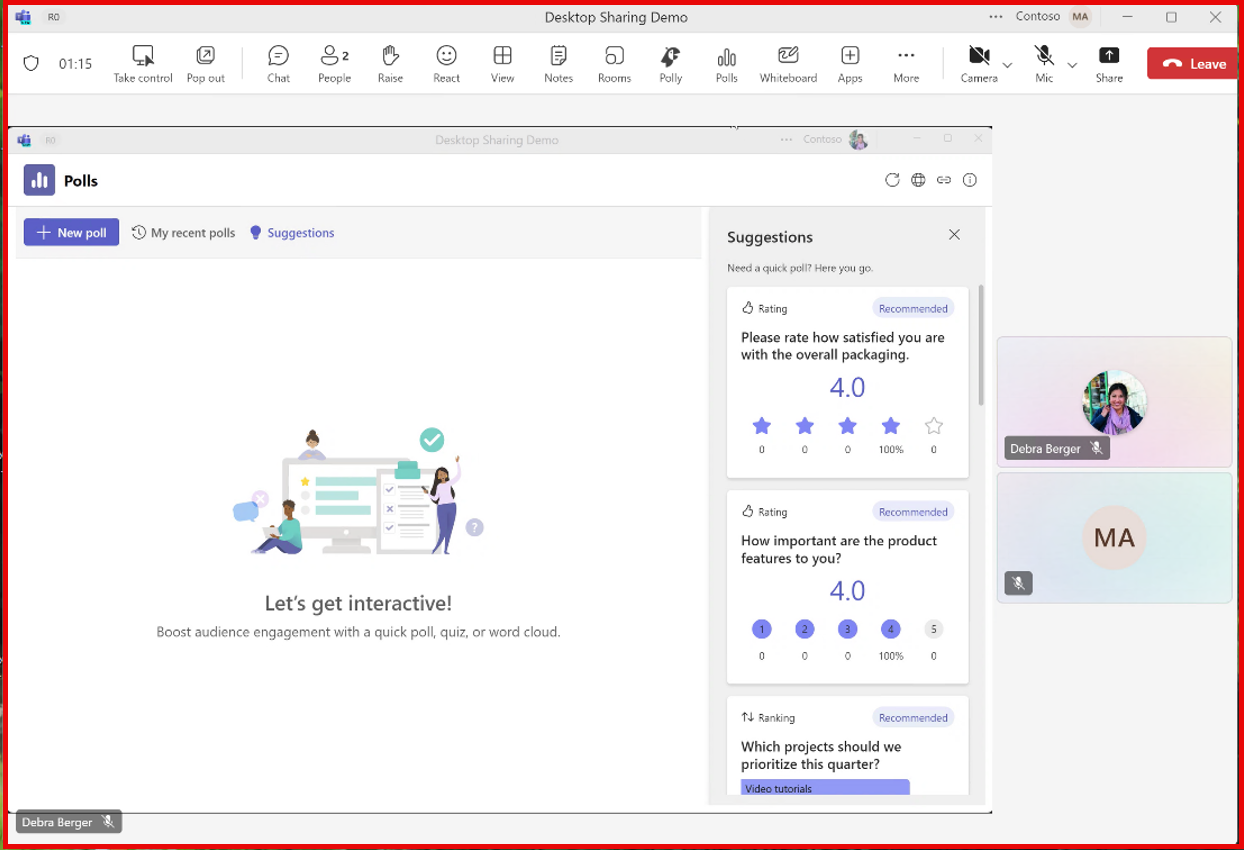
Screenshot 3: Meeting attendee’s view of a shared app:
[What you need to do to prepare:] This rollout will happen automatically by the specified date with no admin action required before the rollout. Please notify your app developers about this change and update any relevant documentation as appropriate. References |
| Machine Translation |
近日公開予定: Microsoft Teams 会議でのアプリ共有に関する 2 つの更新プログラムをロールアウトします。 このメッセージは、Microsoft 365 ロードマップ ID 389844に関連付けられ ています。 [これがいつ起こるか:] パブリック開発者プレビュー: 2024 年 4 月中旬にロールアウトを開始し、2024 年 4 月中旬までに完了する予定です。 一般提供 (全世界、GCC、GCC High、DoD): 2024 年 5 月中旬にロールアウトを開始し、2024 年 5 月下旬までに完了する予定です。 [これが組織に及ぼす影響:] ロールアウト後:
注: このロールアウトの新機能は、 Teams Live Share の既存のコラボレーション エクスペリエンスを置き換えるものではありません。新機能は、必要に応じて Live Share と共に実装できます。 このロールアウトでは、小さな 共有 アイコンとワンクリック共有がすでに存在するため、ユーザー教育は必要ありません。 スクリーンショット 1: アプリを共有するには、アプリ パネルの右上隅にある小さな [共有 ] アイコンを選択します。
スクリーンショット 2: 共有アプリのプレゼンター ビュー (ポップアウト):
スクリーンショット 3: 共有アプリの会議出席者のビュー:
[準備に必要なこと:] このロールアウトは、指定された日付までに自動的に行われ、ロールアウト前に管理者のアクションは必要ありません。この変更についてアプリ開発者に通知し、必要に応じて関連ドキュメントを更新してください。 参照 |