| MC715693 | (Updated) Microsoft Teams: Chat for organizers and presenters in Town Hall |
|---|
| Classification | stayInformed |
|---|---|
| Last Updated | 06/06/2024 21:43:37 |
| Start Time | 02/14/2024 01:08:40 |
| End Time | 10/07/2024 07:00:00 |
| Message Content |
Updated June 6, 2024: We have updated the rollout timeline below. Thank you for your patience. This new Microsoft Teams feature for Town Hall empowers organizers, presenters, and even external presenters to engage in private discussions before, during, and after their virtual events. This functionality facilitates real-time collaboration, whether prepping pre-event, coordinating seamlessly during presentations, or debriefing post-event, this feature is your ultimate tool for driving impactful and successful virtual events. On the Town Hall Scheduling form, the event organizer must define their presenters and external presenters for this exclusive group chat to be created. After the event is created, the organizer can access this chat before/after the event from the Town Hall Scheduling form, the Teams Calendar, or the event’s Details page. Presenters (and external presenters from guests and federated tenants) can access this chat before/after the event from the Teams Calendar or the event’s Details page. This chat will appear in their chat pane. During the event, organizers, presenters, and external presenters (including anonymous presenters) can access this chat from within the in-meeting chat by selecting the tab for Organizers and Presenters.
This message is associated with Microsoft 365 Roadmap ID 377303
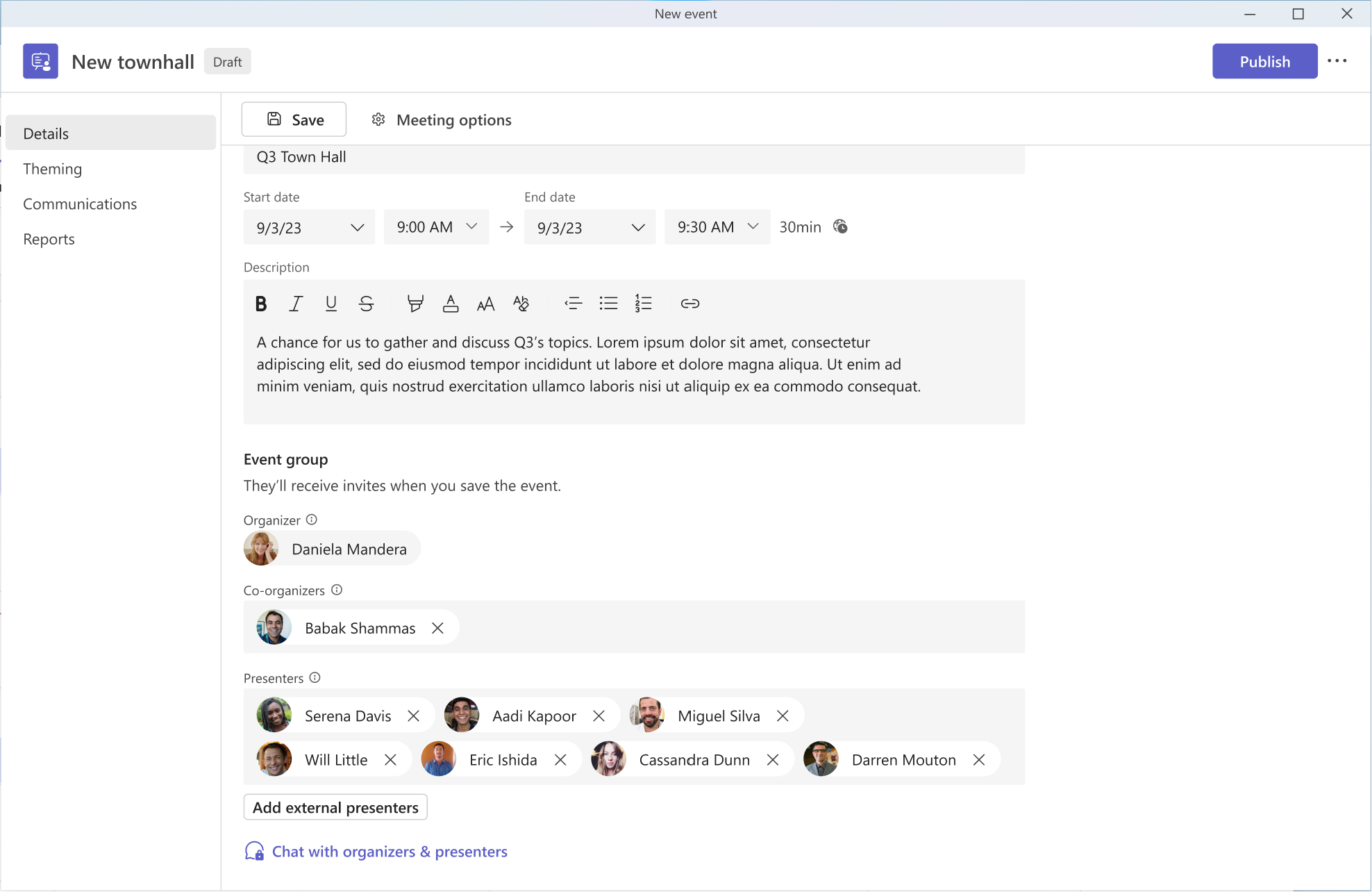
[When this will happen:] Targeted Release: We will begin rolling out early August 2024 (previously early July) and expect to complete by mid-August 2024 (previously mid-July). Worldwide: We will begin rolling out mid-August 2024 (previously mid-July) and expect to complete by late August 2024 (previously late July). [How this will affect your organization:] This feature will automatically be available in Microsoft Teams when it is released. When a Town Hall is created with presenters and external presenters defined on the Scheduling form, the chat for organizers and presenters will be created and available to use. Image 1: Organizers can automatically send a message to their event’s co-organizers and presenters from the Town Hall Scheduling form.
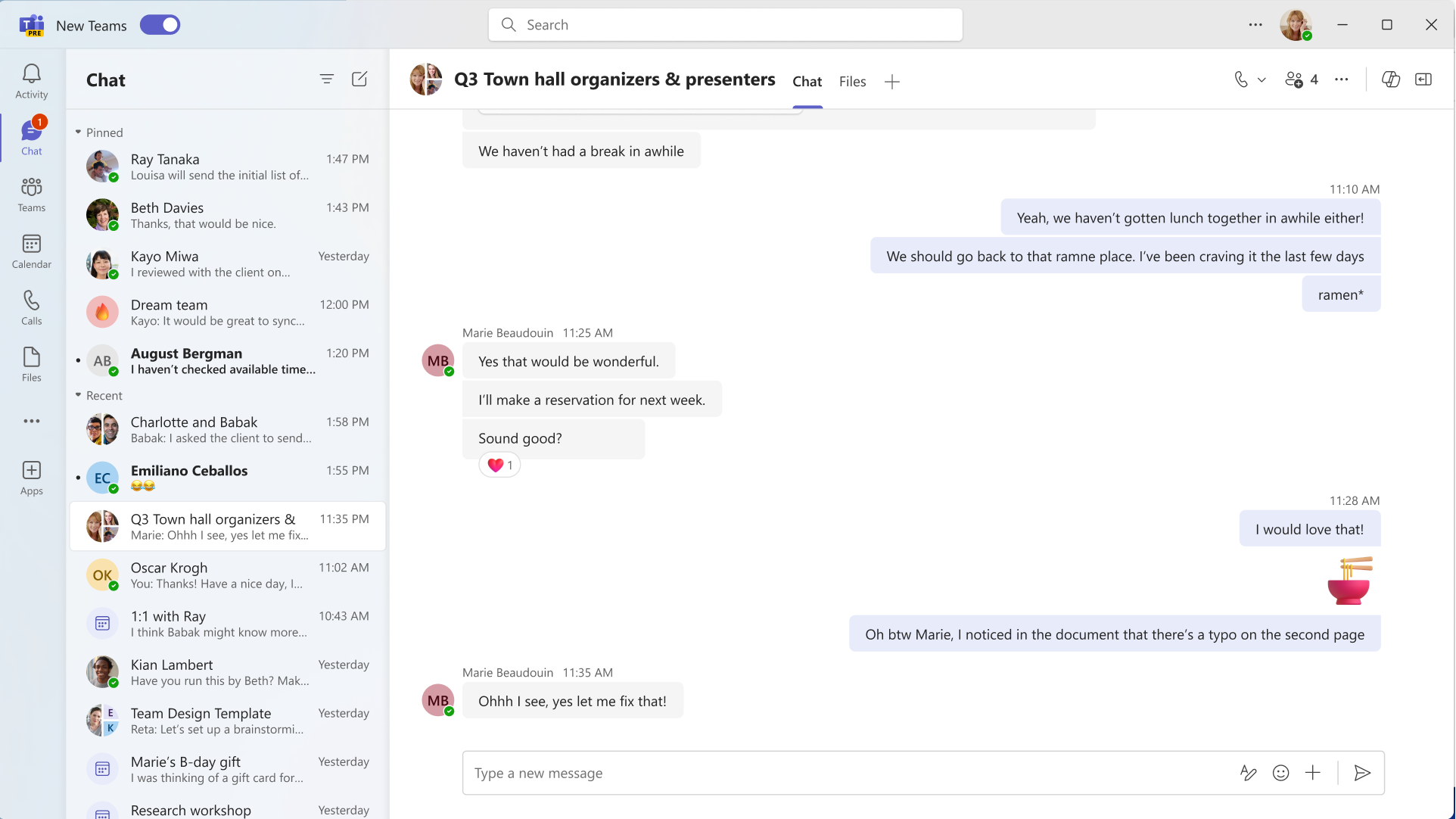
Image 2: Before the Town Hall starts, organizers, co-organizers, and presenters can view this chat on their Chat list and send messages.
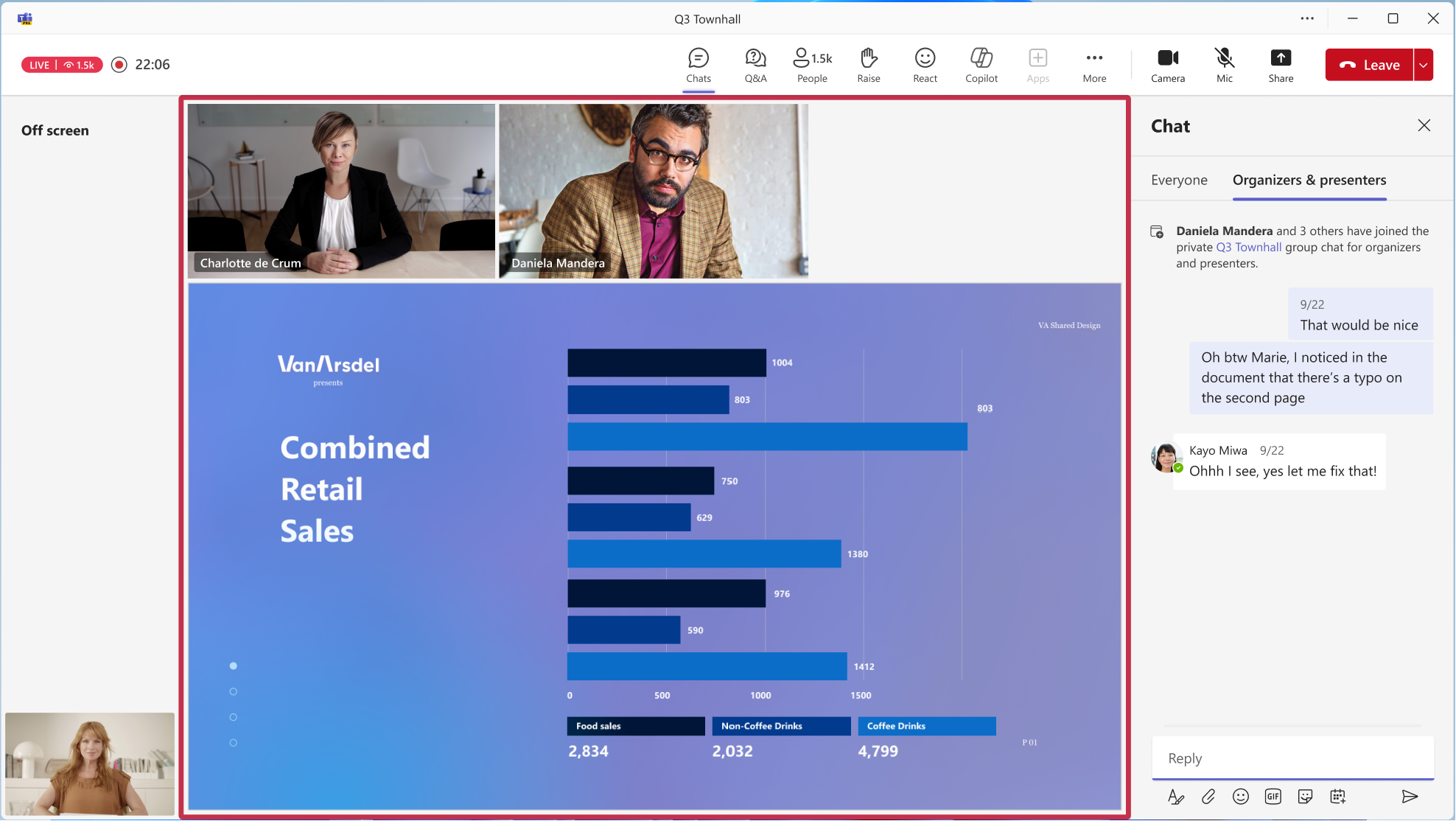
Image 3: During the Town Hall, organizers, co-organizers, and presenters can access the Organizers and Presenters tab and send messages.
[What you need to do to prepare:]
This feature will automatically be available in Microsoft Teams when it is released. You may want to notify your users about this change and update any relevant documentation as appropriate. |
| Machine Translation |
2024 年 6 月 6 日更新: 以下のロールアウト タイムラインを更新しました。何卒ご理解のほどよろしくお願いいたします。 タウン ホール用のこの新しい Microsoft Teams 機能により、開催者、プレゼンター、さらには外部プレゼンターでさえ、仮想イベントの前、最中、後にプライベート ディスカッションに参加できます。この機能は、イベント前の準備、プレゼンテーション中のシームレスな調整、イベント後のデブリーフィングなど、リアルタイムのコラボレーションを促進し、インパクトのあるバーチャルイベントを成功に導くための究極のツールとなります。 [タウン ホール スケジュール] フォームで、イベント開催者は、この排他的なグループ チャットを作成するために、プレゼンターと外部プレゼンターを定義する必要があります。イベントが作成されると、開催者は、タウン ホール スケジュール フォーム、Teams カレンダー、またはイベントの詳細ページから、イベントの前後 にこのチャットにアクセスできます。発表者 (およびゲストとフェデレーション テナントの外部発表者) は、Teams 予定表またはイベントの詳細ページから、イベントの前後 にこのチャットにアクセスできます。このチャットは、チャットペインに表示されます。 イベント中 、開催者、プレゼンター、および外部プレゼンター (匿名プレゼンターを含む) は、[オーガナイザー] と [プレゼンター] のタブを選択することで、ミーティング内チャット内からこのチャットにアクセスできます。
このメッセージは、Microsoft 365 ロードマップ ID 377303に関連付けられています
[これがいつ起こるか:] 対象リリース: 2024 年 8 月上旬 (以前は 7 月上旬) にロールアウトを開始し、2024 年 8 月中旬 (以前は 7 月中旬) までに完了する予定です。 全世界: 2024 年 8 月中旬 (以前は 7 月中旬) にロールアウトを開始し、2024 年 8 月下旬 (以前は 7 月下旬) までに完了する予定です。 [これが組織に及ぼす影響:] この機能は、リリース時に Microsoft Teams で自動的に利用できるようになります。スケジュール フォームで定義されたプレゼンターと外部プレゼンターを使用してタウン ホールが作成されると、開催者とプレゼンターのチャットが作成され、使用できるようになります。 画像 1: 開催者は、タウン ホール スケジュール フォームからイベントの共同開催者とプレゼンターにメッセージを自動的に送信できます。
画像2:タウンホールが始まる前に、開催者、共同開催者、プレゼンターは、このチャットをチャットリストで表示し、メッセージを送信できます。
画像 3: タウン ホール中、開催者、共同開催者、およびプレゼンターは [開催者とプレゼンター] タブにアクセスしてメッセージを送信できます。
[準備に必要なこと:]
この機能は、リリース時に Microsoft Teams で自動的に利用できるようになります。この変更についてユーザーに通知し、必要に応じて関連ドキュメントを更新することをお勧めします。 |