| MC789803 | (Updated) Microsoft 365 admin center: Organizational messages (Preview) |
|---|
| Classification | planForChange |
|---|---|
| Last Updated | 06/13/2024 21:40:57 |
| Start Time | 05/02/2024 18:26:43 |
| End Time | 01/27/2025 07:00:00 |
| Message Content |
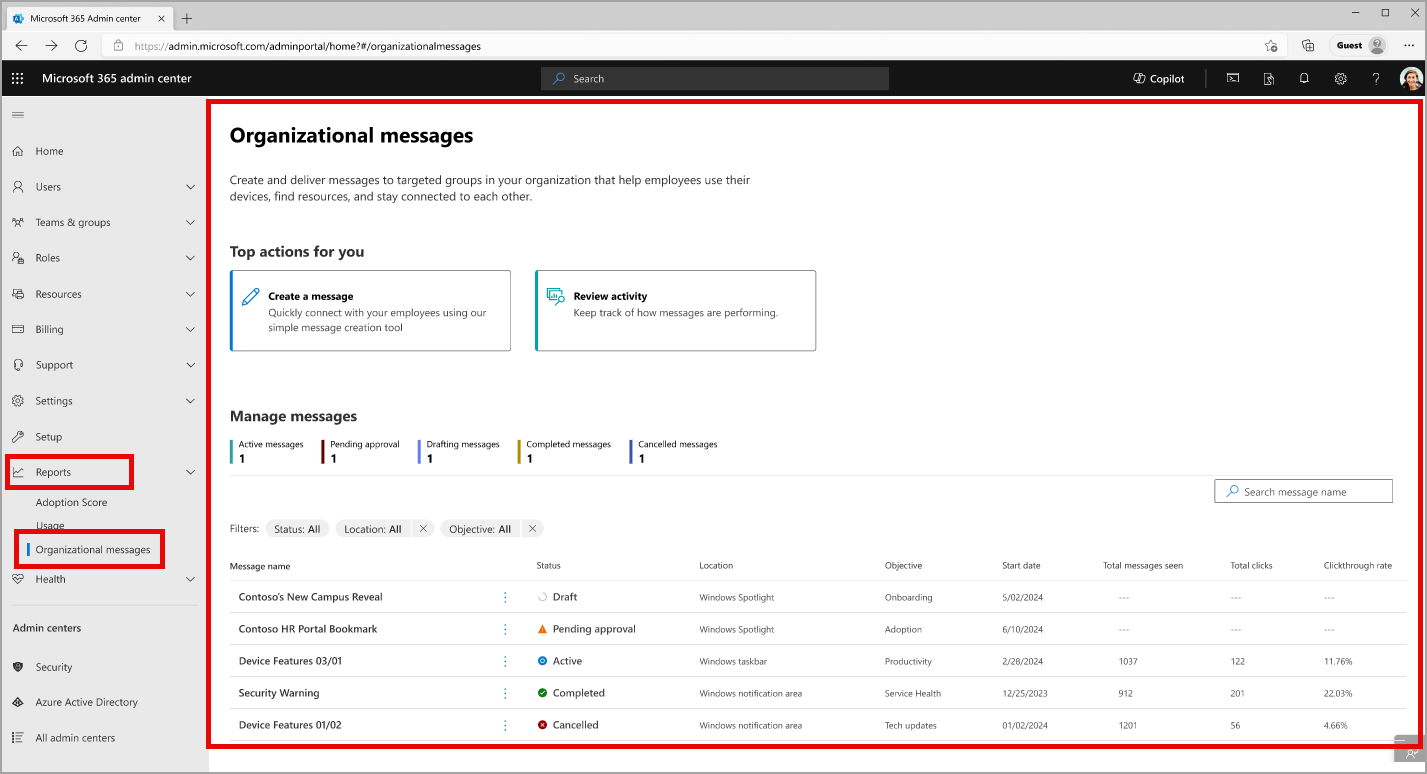
Updated June 13, 2024: We have updated the rollout timeline below. Thank you for your patience. Coming soon for Microsoft 365 admin center: Organizational messages (preview) that will enable you to create and deliver short-form communications to people in your organization through the Microsoft products they use every day, like Microsoft Windows 11 or Microsoft 365 apps. Important note about licenses: Organizational messages preview features will not be restricted based on the licenses held by participating tenants, authors, approvers, or message recipients. However, some organizational messages features may be restricted to particular Microsoft licenses in the future. This message is associated with Microsoft 365 Roadmap ID 392847. [When this will happen:] Public Preview: We will begin rolling out early May 2024 and expect to complete by late May 2024. General Availability (Worldwide): We will begin rolling out in mid-November 2024 and expect to complete by mid-December 2024. [How this will affect your organization:] Organizational messages will be found in the Microsoft 365 admin center > Reports and will include features for admins like central management of your tenant’s organizational messages, free-form creation of new messages, an approval workflow, message scheduling and configuration, group-based targeting, and message delivery reporting. Organizational messages management in the Microsoft 365 admin center
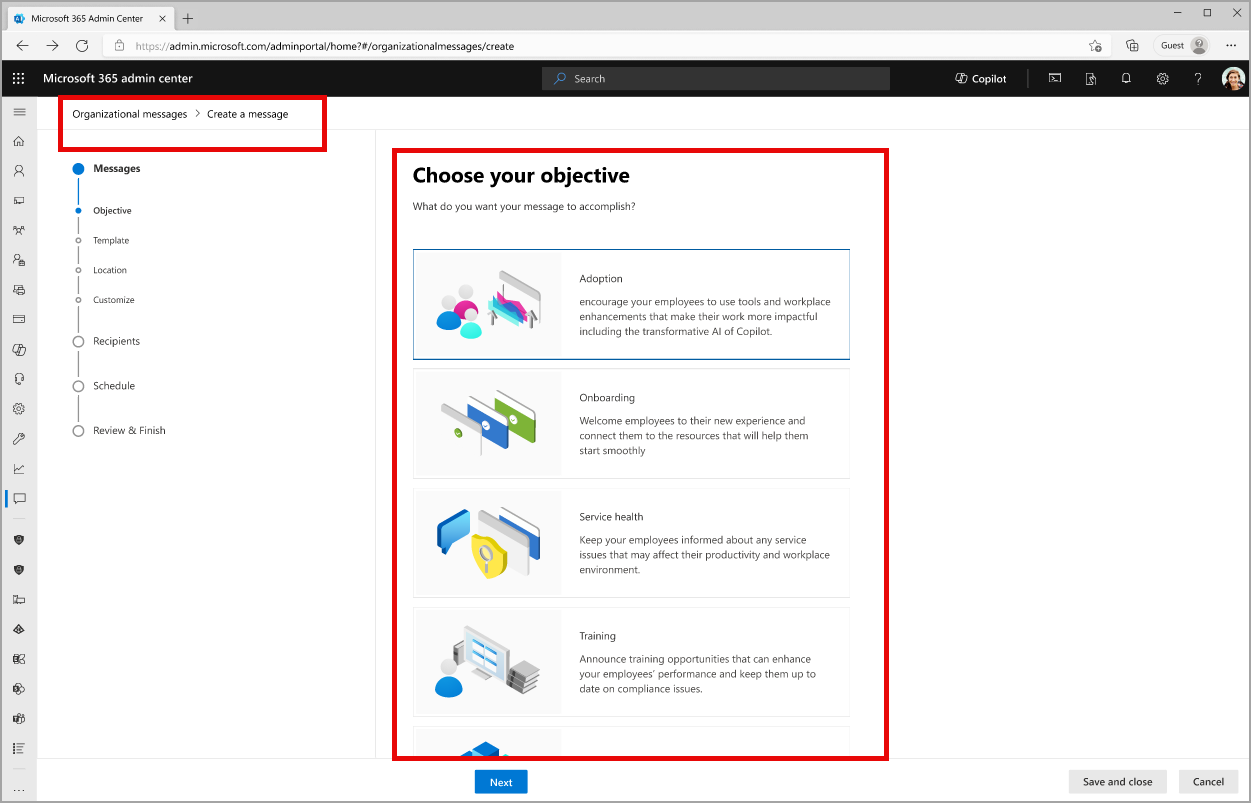
The creation process for organizational messages:
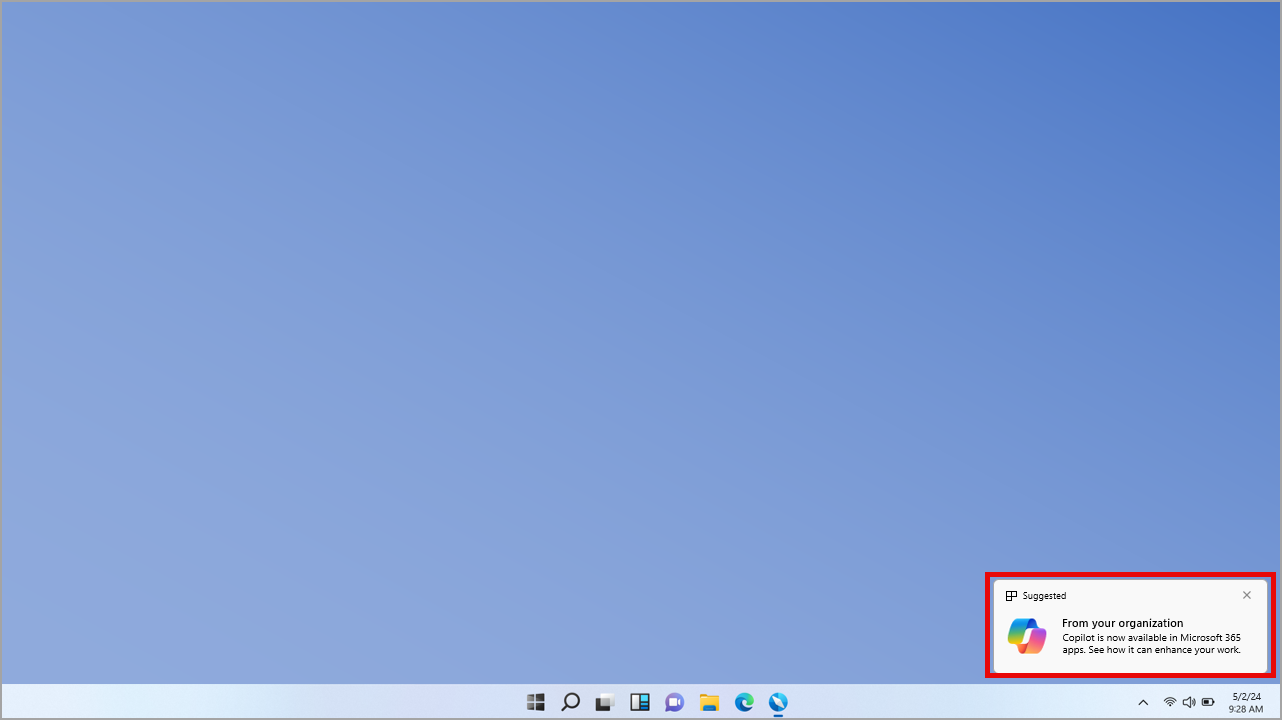
An example of an organizational message configured for the Windows 11 notifications area:
[What you need to do to prepare:] To start working with organizational messages, make sure your team satisfies these requirements:
This rollout will happen automatically by the specified date with no admin action required before the rollout. You may want to notify your admins about this change and update any relevant documentation as appropriate. Learn more |
| Machine Translation |
2024 年 6 月 13 日更新: 以下のロールアウト タイムラインを更新しました。何卒ご理解のほどよろしくお願いいたします。 Microsoft 365 管理センターで近日公開: Microsoft Windows 11 や Microsoft 365 アプリなど、毎日使用する Microsoft 製品を通じて、組織内のユーザーに短い形式の通信を作成して配信できる組織のメッセージ (プレビュー)。 ライセンスに関する重要な注意事項: 組織のメッセージ プレビュー機能は、参加しているテナント、作成者、承認者、またはメッセージ受信者が保持するライセンスに基づいて制限されません。ただし、一部の組織メッセージ機能は、将来、特定の Microsoft ライセンスに制限される可能性があります。 このメッセージは、Microsoft 365 ロードマップ ID 392847に関連付けられ ています。 [これがいつ起こるか:] パブリック プレビュー: 2024 年 5 月上旬にロールアウトを開始し、2024 年 5 月下旬までに完了する予定です。 一般提供 (全世界): 2024 年 11 月中旬にロールアウトを開始し、2024 年 12 月中旬までに完了する予定です。 [これが組織に及ぼす影響:] 組織のメッセージは、Microsoft 365 管理センターの > レポート にあり、テナントの組織メッセージの一元管理、新しいメッセージの自由形式の作成、承認ワークフロー、メッセージのスケジュール設定と構成、グループベースのターゲット設定、メッセージ配信レポートなどの管理者向けの機能が含まれます。 Microsoft 365 管理センターで の組織のメッセージ管理
組織メッセージの作成プロセス:
Windows 11通知領域用に構成された組織メッセージの例:
[準備に必要なこと:] 組織のメッセージの使用を開始するには、チームが次の要件を満たしていることを確認します。
このロールアウトは、指定された日付までに自動的に行われ、ロールアウト前に管理者のアクションは必要ありません。この変更について管理者に通知し、必要に応じて関連ドキュメントを更新することをお勧めします。 詳細情報 |