| MC722590 | (Updated) Microsoft Outlook for Mac: New immersive image themes |
|---|
| Classification | stayInformed |
|---|---|
| Last Updated | 06/14/2024 17:41:50 |
| Start Time | 03/02/2024 00:49:48 |
| End Time | 08/19/2024 07:00:00 |
| Message Content |
Updated June 14, 2024: We have updated the rollout timeline below. Thank you for your patience. Note: If your organization does not support Macs, you can ignore this message. Starting April 2024, Outlook for Mac will offer new immersive image themes. This feature will be available in Outlook for Mac for commercial and consumer users. (This feature is not available on Outlook for the web.) This message is associated with Microsoft 365 Roadmap ID 189805.
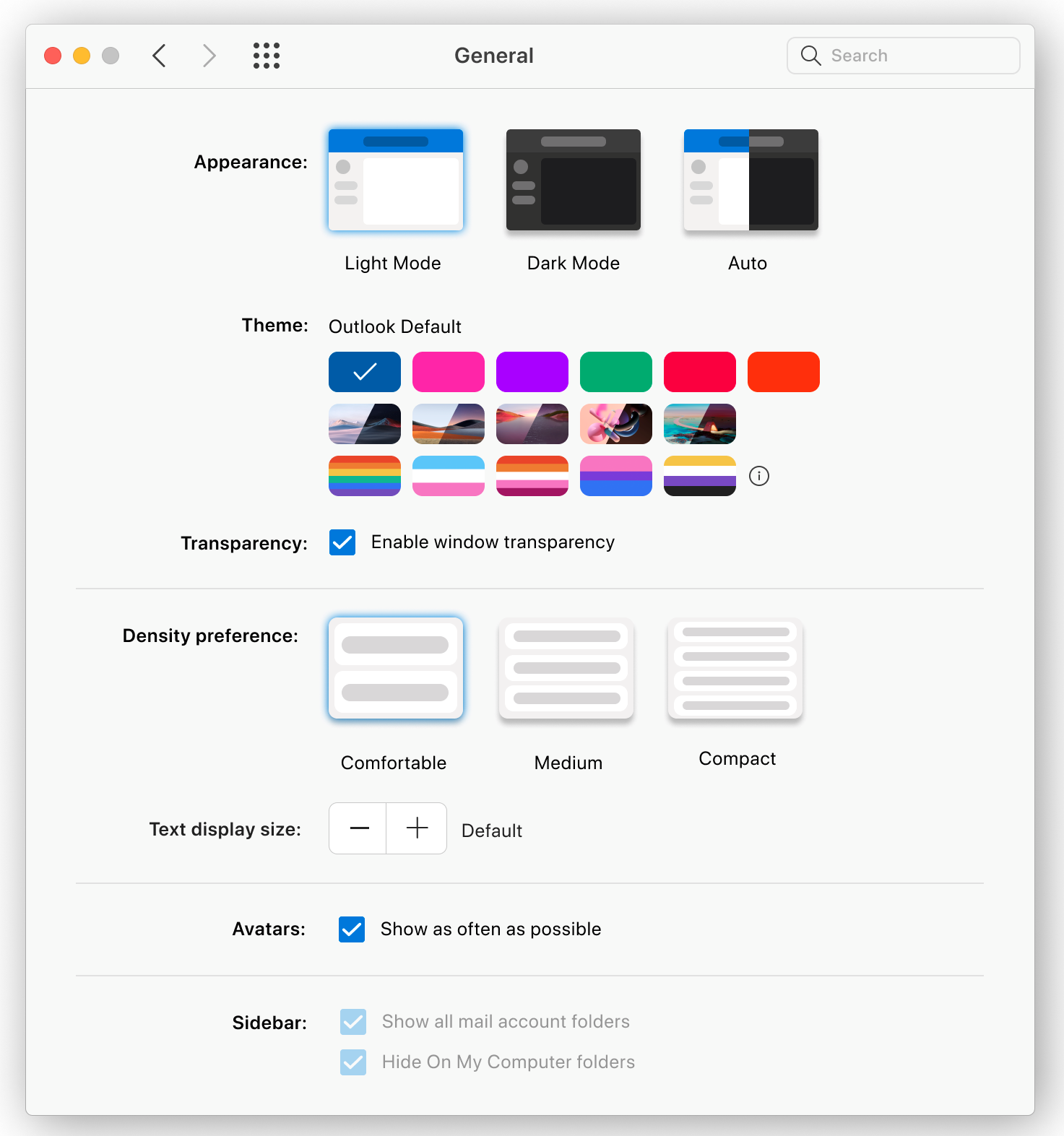
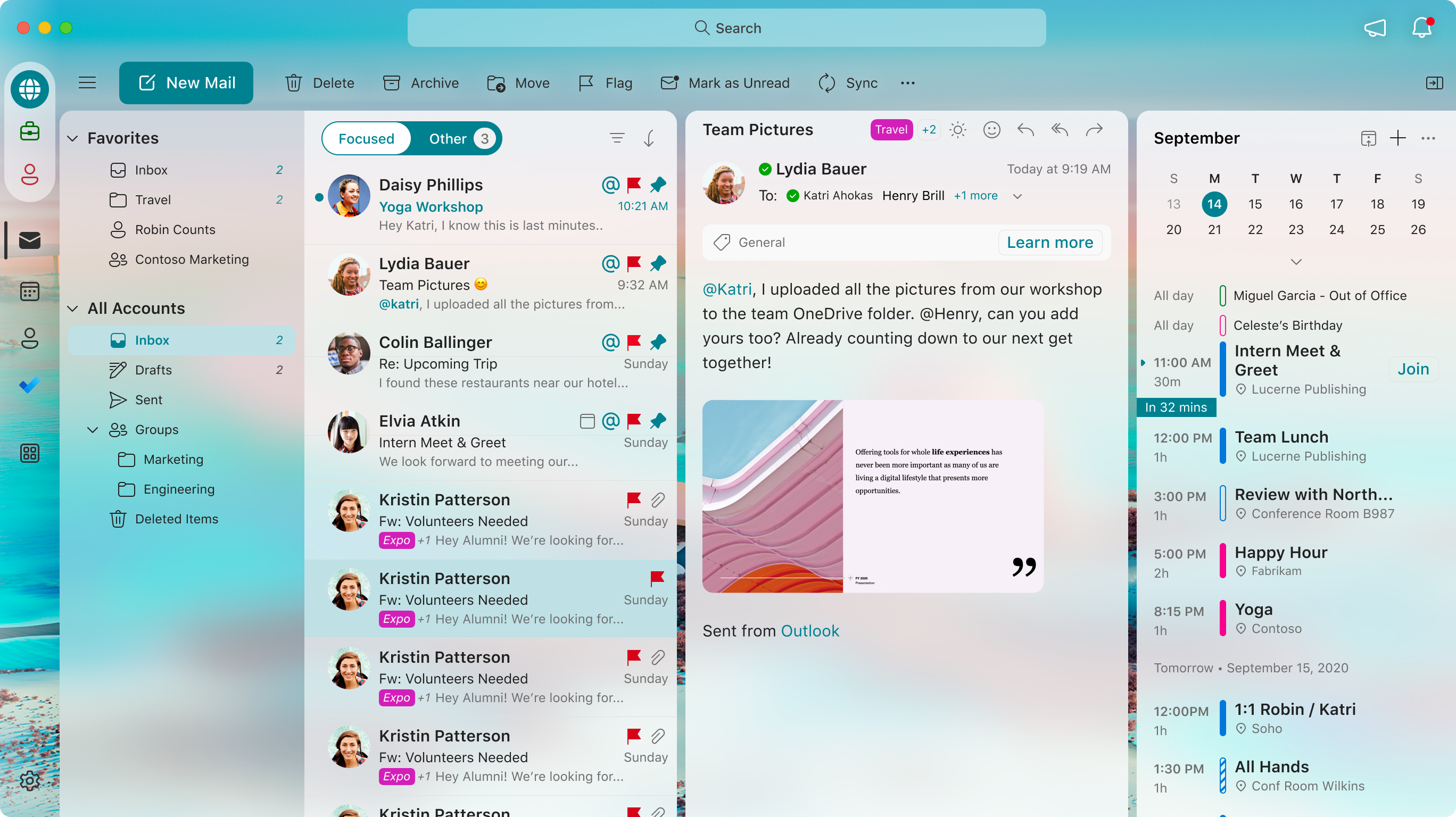
[When this will happen:] Worldwide, GCC, GCC High, and DoD: We will begin rolling out late March 2024 (previously mid-March) and expect to complete by mid-July 2024 (previously late May) (previously late March). [How this will affect your organization:] With this change, users will see the new image themes available in Settings > General. If the user opts in, Outlook will apply an immersive image theme to the user’s Outlook for Mac interface. Select one of the new immersive image Themes: An example of the new theme applied by a user:
[What you need to do to prepare:] No action is needed from you to prepare for this rollout. You may want to notify your users about this change and update any relevant documentation as appropriate. |
| Machine Translation |
2024 年 6 月 14 日更新: 以下のロールアウト タイムラインを更新しました。何卒ご理解のほどよろしくお願いいたします。 注: 組織が Mac をサポートしていない場合は、このメッセージを無視できます。 2024 年 4 月以降、Outlook for Mac では新しいイマーシブ イメージ テーマが提供されます。この機能は、Outlook for Mac の商用ユーザーおよび一般ユーザー向けに利用できるようになります。(この機能は、Outlook for the webでは使用できません)。 このメッセージは、Microsoft 365 ロードマップ ID 189805に関連付けられ ています。
[これがいつ起こるか:] 全世界、GCC、GCC High、DoD: 2024 年 3 月下旬 (以前は 3 月中旬) にロールアウトを開始し、2024 年 7 月中旬 (以前は 5 月下旬) (以前は 3 月下旬) までに完了する予定です。 [これが組織に及ぼす影響:] この変更により、ユーザーには [設定] > [一般 ] で使用できる新しい画像テーマが表示されます。ユーザーがオプトインすると、Outlook はユーザーの Outlook for Mac インターフェイスにイマーシブ イメージ テーマを適用します。 新しい没入型画像のテーマを 1 つ選択します。 ユーザーが適用した新しいテーマの例:
[準備に必要なこと:] このロールアウトの準備のために、お客様による操作は必要ありません。この変更についてユーザーに通知し、必要に応じて関連ドキュメントを更新することをお勧めします。 |