| MC696167 | (Updated) Outlook: Choose how many days of emails sync to your iOS or Android device for offline usage |
|---|
| Classification | stayInformed |
|---|---|
| Last Updated | 07/22/2024 22:40:15 |
| Start Time | 12/07/2023 00:53:19 |
| End Time | 07/26/2024 07:00:00 |
| Message Content |
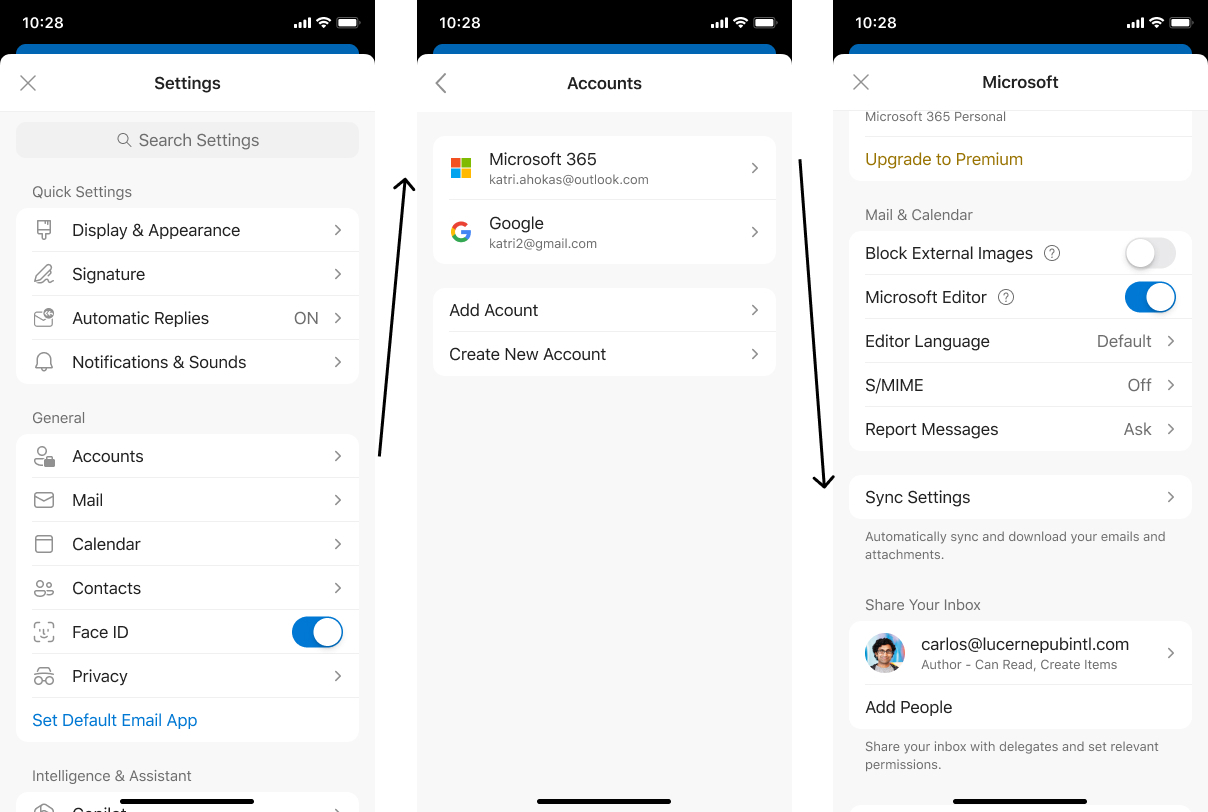
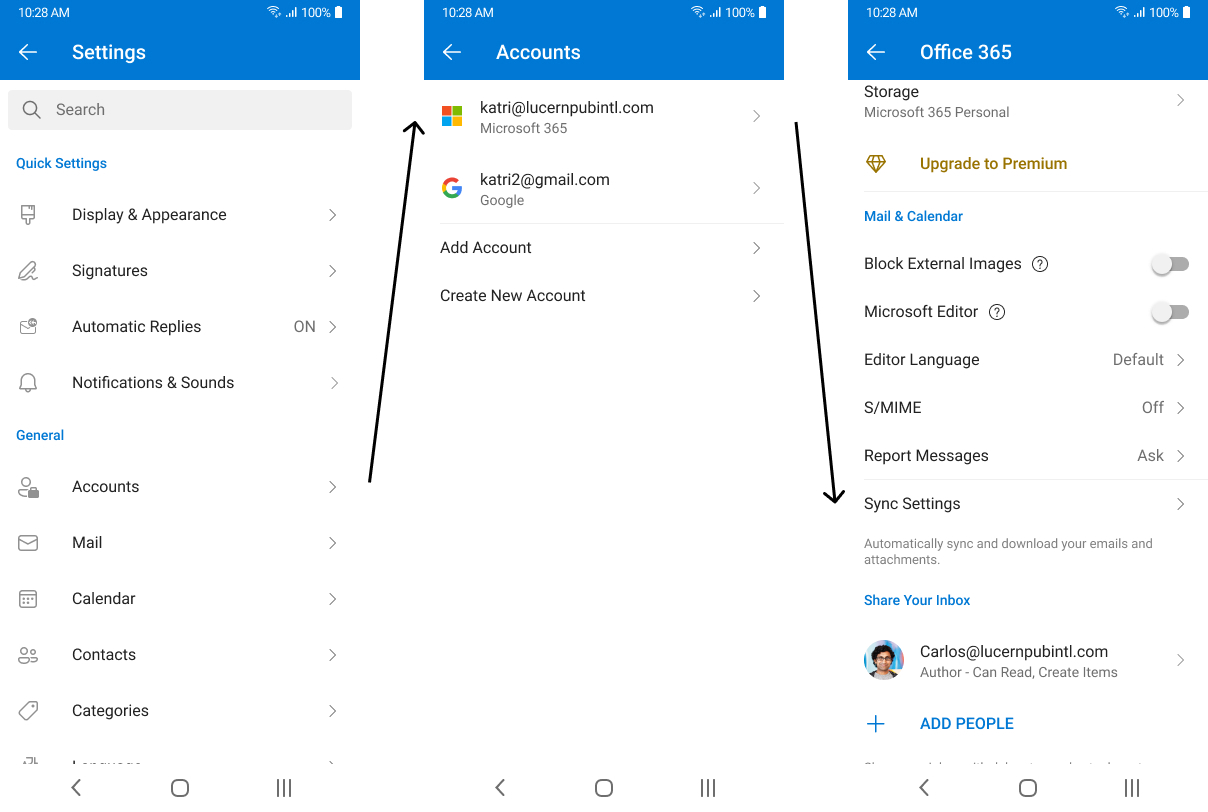
Updated July 22, 2024: Moving forward please refer to MC798682 for updated information. You can safely disregard this post. With the new sync window, users can choose how many days’ worth of emails and attachments they want to download to their iOS or Android device so they can always access them even while offline. Note: The emails/attachments will be stored internally as a cache since every time a user changes their sync window (decrease) we do a clean-up of all saved data. They cannot choose the location for that matter.
This message is associated with Microsoft 365 Roadmap ID: 189809 [When this will happen:] Moving forward please refer to MC798682. [How this will affect your organization:] This change will give users more control over what messages and attachments are being saved to their device. By choosing sync settings that better accommodate their necessities, they can use Outlook Mobile even while they’re not connected to their cellular data or Wi-Fi. iOS: Android:
[What you need to do to prepare:]
Update training and documentation as appropriate so users can determine how many days they’d prefer to sync to their device; we currently provide a 90-day limit. |
| Machine Translation |
2024年7月22日更新:今後は、最新情報についてMC798682を参照してください。この投稿は無視しても問題ありません。 新しい同期ウィンドウでは、ユーザーはiOSまたはAndroidデバイスにダウンロードするメールと添付ファイルの日数を選択できるため、オフラインでもいつでもアクセスできます。 手記: メール/添付ファイルは、ユーザーが同期ウィンドウを変更(減少)するたびに、保存されたすべてのデータがクリーンアップされるため、キャッシュとして内部的に保存されます。彼らはそのことについて場所を選ぶことはできません。
このメッセージは、Microsoft 365 ロードマップ ID: 189809 に関連付けられています [これがいつ起こるか:] 今後はMC798682をご参照ください。 [これがあなたの組織にどのように影響しますか:] この変更により、ユーザーはデバイスに保存されるメッセージと添付ファイルをより詳細に制御できるようになります。自分のニーズにより適した同期設定を選択することで、携帯データネットワークや Wi-Fi に接続していないときでも Outlook Mobile を使用できます。 iOSの場合: アンドロイド:
【準備に必要なこと】
必要に応じてトレーニングとドキュメントを更新して、ユーザーがデバイスに同期する日数を決定できるようにします。現在、90日間の制限を設けています。 |