SHD / MC Checker

MC1447681 | Microsoft Viva Engage: Custom branding for tenant-wide visual identity


MC1447681 | Microsoft Viva Engage: Custom branding for tenant-wide visual identity

Classification planForChange
Last Updated 08/05/2026 00:26:01
Start Time 08/05/2026 00:25:56
End Time 10/14/2026 07:00:00
Message Content

[What and why]

We’re introducing Custom Branding in Microsoft Viva Engage, a new admin-managed capability that enables organizations to apply a consistent visual identity across the Viva Engage web experience and iOS and Android mobile apps.

With Custom Branding, Viva Engage administrators can configure a tenant-wide brand name, logos, and theme color from a new Brand center in the Viva Engage admin center. Admins can preview branding changes before publishing them to users across the organization.

This feature helps organizations reinforce their brand identity and create a more consistent employee experience in Viva Engage.

This message is associated with Microsoft 365 Roadmap ID 568364.

[Rollout schedule]

  • General Availability (Worldwide): Beginning mid-August 2026 and expected to complete by mid-September 2026

[Impact on your organization]

Who is affected

  • Viva Engage administrators
  • Users in tenants where Viva Engage is deployed

Platforms and services

  • Microsoft Viva Engage
    • Web and app in Teams
    • iOS
    • Android

What will happen

Administrators with access to the Viva Engage admin center will be able to configure tenant-wide branding through the new Brand Center.

Branding options include:

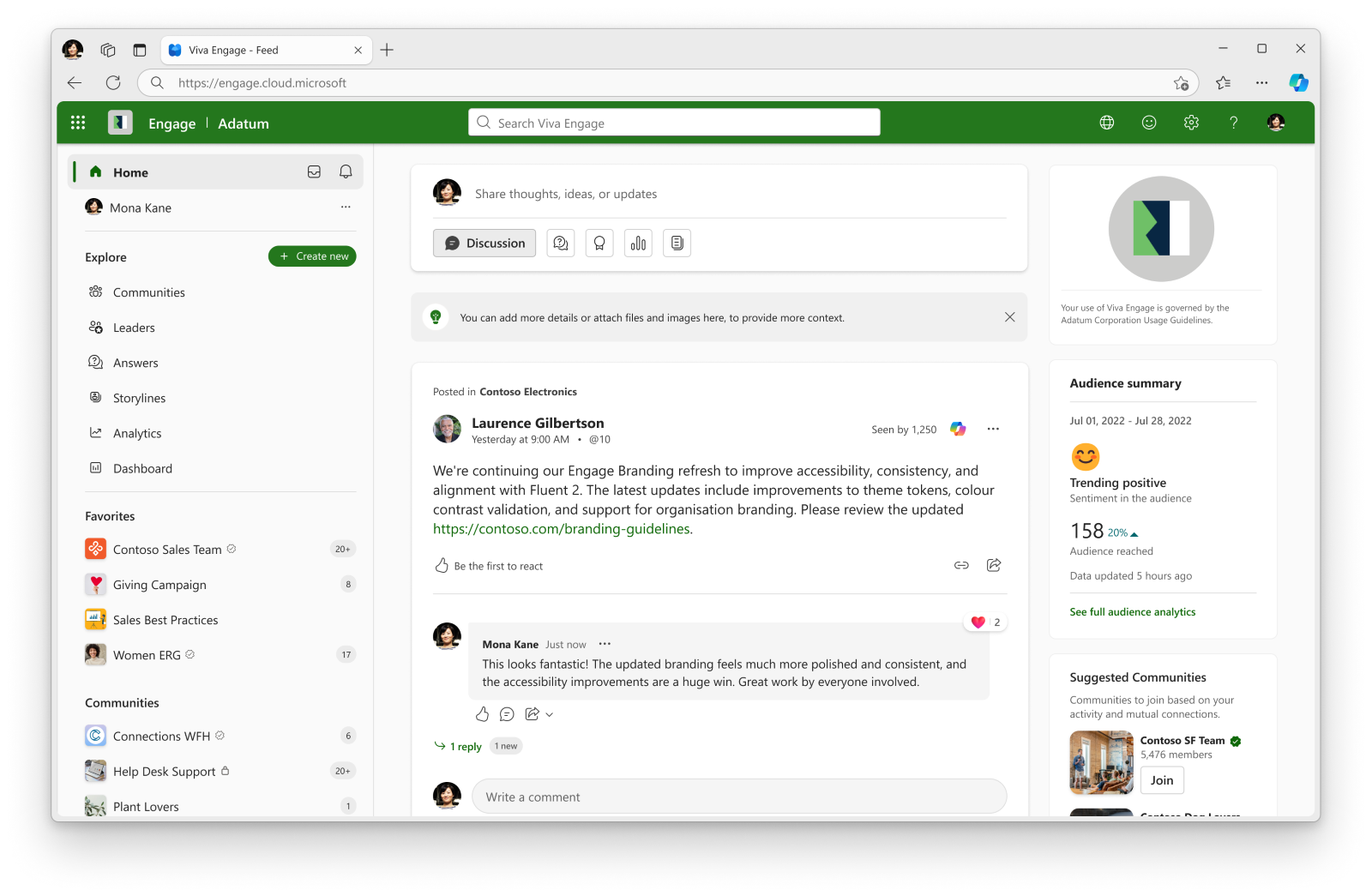
  • Brand name: Displayed in the Viva Engage web app header.
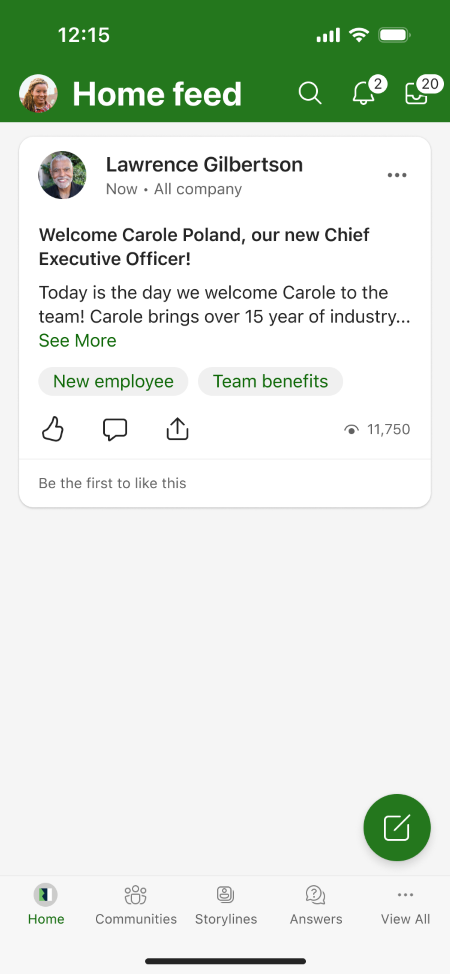
  • Small logo: Displayed in the Viva Engage web app header and mobile app navigation bar.
  • Large logo: Displayed in the right-side panel of the Viva Engage home page on the web.
  • Theme color: Applied to supported buttons, icons, and other user interface elements across Viva Engage.

Administrators can:

  • Save branding changes for personal preview before publishing them tenant-wide.
  • Review the experience in web and mobile apps before publishing.
  • Publish branding changes to all users in the tenant.

Important behavior changes:

  • Once Custom Branding is published in Viva Engage, it takes precedence over Microsoft 365 organizational themes within Viva Engage.
  • Individual user-selected Viva Engage themes will no longer be available when this feature is available in your tenant. This is irrespective of whether Branding has been applied in the tenant. This change was previously communicated in MC1162958.
  • Organizations currently using Microsoft 365 organizational themes will continue to see their existing experience until Viva Engage Custom Branding is configured and published. Once Engage branding is published for the tenant, users will no longer be able to see the M365 org theme in Engage, and the Engage branding will apply instead.
  • Branding is optional and is not applied unless an administrator configures and publishes branding settings.

Screenshot 1 – Branded user web experience (light mode) view: 

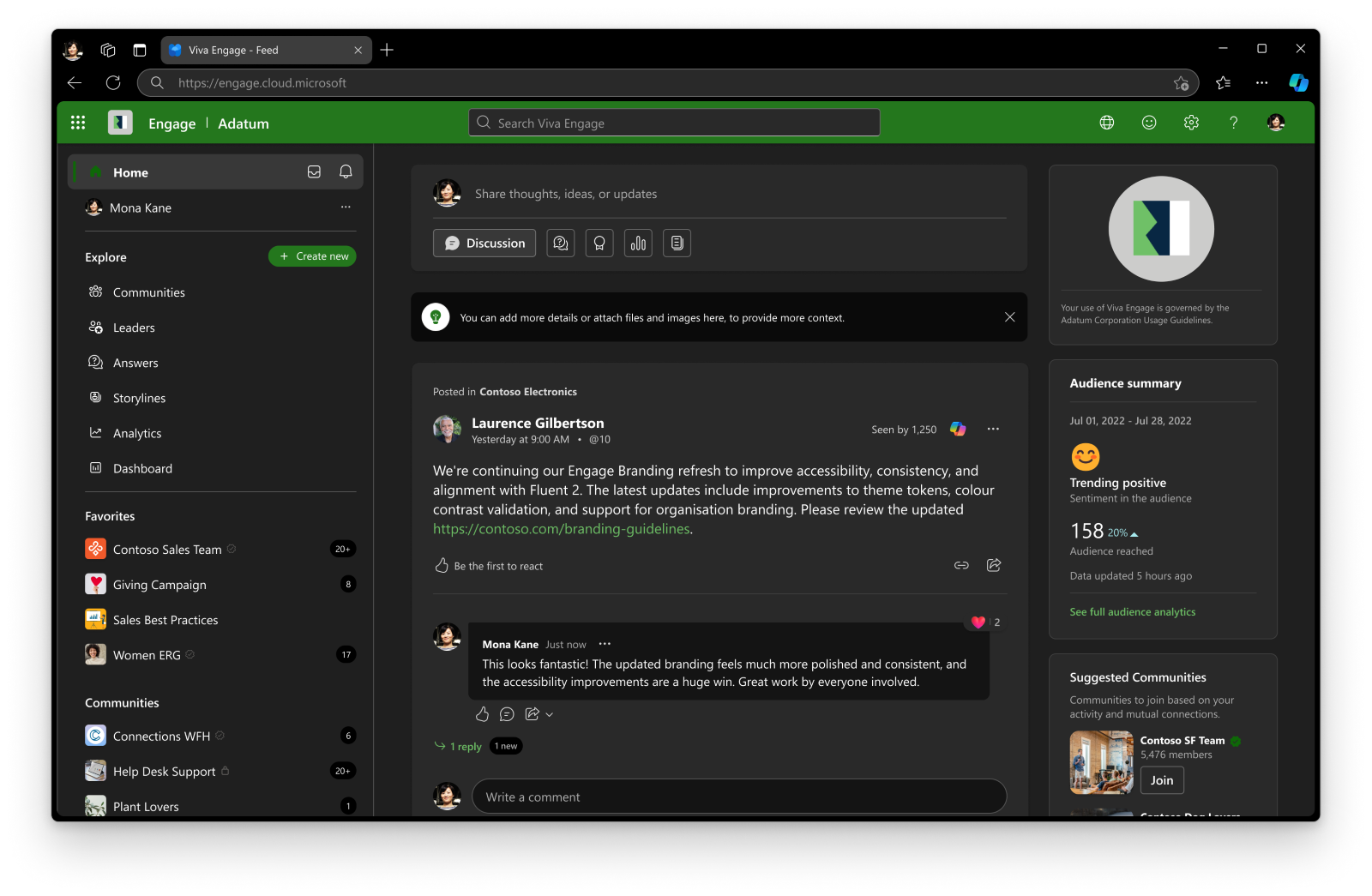
Screenshot 2 – Branded user web experience (dark mode) view: 

Screenshot 3 – Branded user Mobile experience (light mode) view:

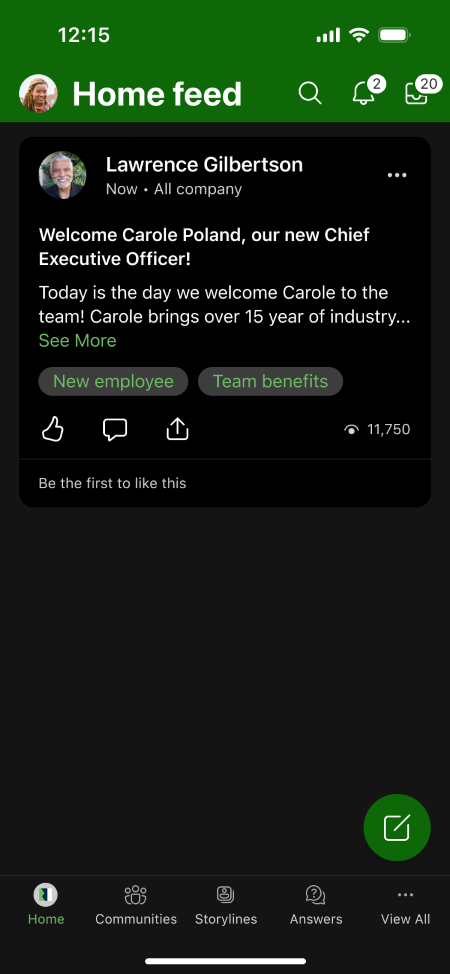
Screenshot 4 – Branded user Mobile experience (dark mode) view: 

[Action required and recommendations]

No action is required to receive this feature.

We recommend that administrators:

  • Review internal documentation that references branding or theming in Viva Engage.
  • Evaluate whether your organization wants to implement tenant-wide branding.
  • Communicate the removal of individual user theme selection to users.
  • Review existing Microsoft 365 organizational theme configurations because Viva Engage Custom Branding will override those themes within Viva Engage after publication.

Custom Branding is optional and is not applied unless an administrator configures and publishes branding settings.

[Compliance considerations]

Question Answer
Does the change include an admin control? Yes. Viva Engage admins can configure and publish tenant-wide branding settings, including a brand name, logos, and theme color, from the Brand Center in the Viva Engage admin center.
Can the feature be controlled by administrators rather than individual users? Yes. Branding is managed and published by Viva Engage admins. End users cannot configure the tenant-wide branding experience.
Does the change affect how users can personalize their experience? Yes. After this feature is available in your tenant, users will no longer be able to apply individual user themes in Viva Engage. Tenant branding configured by admins will determine the visual experience.
Does the change require user communication or organizational awareness? Yes. Organizations may want to notify users that individual user themes will be removed and that a tenant-wide branded experience may be introduced by administrators.
Does the feature include a preview or testing capability before broad deployment? Yes. Admins can save branding changes for themselves and review the experience in Viva Engage web and mobile apps before publishing the changes to all users in the tenant.
Machine Translation

[何となぜ]

Microsoft Viva Engageカスタムブランディングを導入します。これは、Viva Engageのウェブ体験だけでなく、iOSやAndroidのモバイルアプリ全体で一貫したビジュアルアイデンティティを適用できる新しい管理者管理機能です。

カスタムブランディングを使えば、Viva Engage管理者は新しい ブランドセンター からテナント全体のブランド名、ロゴ、テーマカラーを設定 できます。管理者は組織全体のユーザーに公開する前にブランディングの変更をプレビューできます。

この機能は、組織がブランドアイデンティティを強化し、 Viva Engageでより一貫した従業員体験を創出するのに役立ちます。

このメッセージはMicrosoft 365 Roadmap ID 568364に関連付けられています。

[展開スケジュール]

  • 一般公開(世界): 2026年8月中旬から9月中旬までに完了予定

[組織への影響]

影響を受ける人物

  • Viva Engageの管理者
  • Viva Engageが導入されているテナント内のユーザー

ホームとサービス

  • Microsoft Viva Engage(マイクロソフト Viva Engage)
    • Teamsにおけるウェブとアプリ
    • iOS
    • アンドロイド

何が起こるのか

Viva Engage管理センターにアクセスできる管理者は、新しい ブランドセンターを通じてテナント全体のブランディングを設定できます。

ブランディングの選択肢には以下が含まれます:

  • ブランド名: Viva Engageのウェブアプリのヘッダーに表示されます。
  • 小さなロゴ: Viva Engageのウェブアプリのヘッダーとモバイルアプリのナビゲーションバーに表示されます。
  • 大きなロゴ: ウェブ上のViva Engageホームページの右側パネルに表示されます。
  • テーマカラー: Viva Engageのサポートボタン、アイコン、その他のユーザーインターフェース要素に適用されます。

管理者は以下のことができます:

  • ブランド変更はテナント全体で公開する前に、個人用プレビュー用に保存してください。
  • 公開前にウェブやモバイルアプリの体験を必ずレビューしてください。
  • テナント内のすべてのユーザーにブランディングの変更を公開します。

重要な行動の変化:

  • Viva Engageでカスタムブランディングが公開されると、Viva Engage内のMicrosoft 365の組織テーマよりも優先されます。
  • この機能がテナントで利用可能になると、個別ユーザーが選択したViva Engageテーマは利用できなくなります。これはテナントにブランディングが適用されているかどうかに関わらず、この変更は以前 MC1162958で通知されていました。
  • 現在Microsoft 365の組織テーマを使用している組織は、Viva Engageカスタムブランディングの設定と公開が完了するまで、既存の体験を引き続き確認できます。Engageのブランディングがテナント向けに公開されると、ユーザーはEngageでM365組織テーマを見ることができなくなり、代わりにEngageのブランディングが適用されます。
  • ブランディングは任意であり、管理者が設定・公開しない限り適用されません。

スクリーンショット1 – ブランド化されたユーザーウェブ体験(ライトモード)ビュー: 

スクリーンショット2 – ブランド化されたユーザーウェブ体験(ダークモード)ビュー: 

スクリーンショット3 – ブランド化されたユーザーモバイル体験(ライトモード)ビュー:

スクリーンショット4 – ブランド化されたユーザーモバイル体験(ダークモード)ビュー: 

[行動が必要と提言]

この機能を受け取るためには、いかなるアクションも必要ありません。

私たちは管理者に以下のことを推奨します:

  • Viva Engageのブランディングやテーマに関する内部ドキュメントを確認しましょう。
  • 組織がテナント全体のブランディングを実施したいかどうかを評価しましょう。
  • 個別のユーザーテーマ選択の削除をユーザーに伝えてください。
  • 既存のMicrosoft 365組織テーマ設定を見直してください。Viva Engageカスタムブランディングは公開後に Viva Engage 内でそれらのテーマを上書きします。

カスタムブランディングは任意であり、管理者が設定・公開しない限り適用されません。

[コンプライアンスの考慮事項]

質問 回答
変更には管理者管理も含まれていますか? はい。Viva Engageの管理者は、Viva Engage管理センター内のブランドセンターから、ブランド名、ロゴ、テーマカラーなどのテナント全体のブランディング設定を設定・公開できます。
この機能は個々のユーザーではなく管理者が操作できますか? はい。ブランディングはViva Engageの管理者によって管理・公開されています。エンドユーザーはテナント全体のブランディング体験を設定できません。
この変更はユーザーの体験のパーソナライズに影響しますか? はい。この機能がテナントで利用可能になると、ユーザーはViva Engageで個別のユーザーテーマを適用できなくなります。管理者が設定したテナントのブランディングが視覚体験を決定します。
この変更にはユーザーコミュニケーションや組織の認識が必要ですか? はい。組織はユーザーに個別のユーザーテーマが削除されることや、管理者によってテナント全体のブランド体験が導入されることを通知したい場合があります。
この機能には、広範な展開前にプレビューやテスト機能が含まれていますか? はい。管理者はブランド変更を自分用に保存し、Viva Engageのウェブおよびモバイルアプリで体験を確認してから、テナント内の全ユーザーに公開できます。