|
Updated August 20, 2026: We have updated the timeline. Thank you for your patience.
[What and Why:]
We’re introducing IntelliFrame people labels in Microsoft Teams Rooms on Windows to improve meeting clarity and inclusivity for remote participants. When enabled, this feature identifies in-room participants by name and displays a contact card, helping remote attendees easily recognize speakers and follow conversations.
This enhancement supports better hybrid meeting experiences by connecting in-room and remote participants more effectively, improving collaboration and productivity.
This message is associated with Microsoft 365 Roadmap ID 566700.
[Rollout Schedule:]
- General Availability (Worldwide, GCC): Beginning mid-October 2026 (previously early September); expected to complete by late October 2026 (previously late September)
[Impact on Your Organization:]
Who is affected:
- Organizations using Microsoft Teams Rooms on Windows with Teams Rooms Pro licenses
- In-room participants who have enrolled in voice and face recognition (People Recognition)
Platforms/Services:
- Microsoft Teams
- Teams Rooms on Windows devices
- Supported intelligent camera hardware
What will happen:
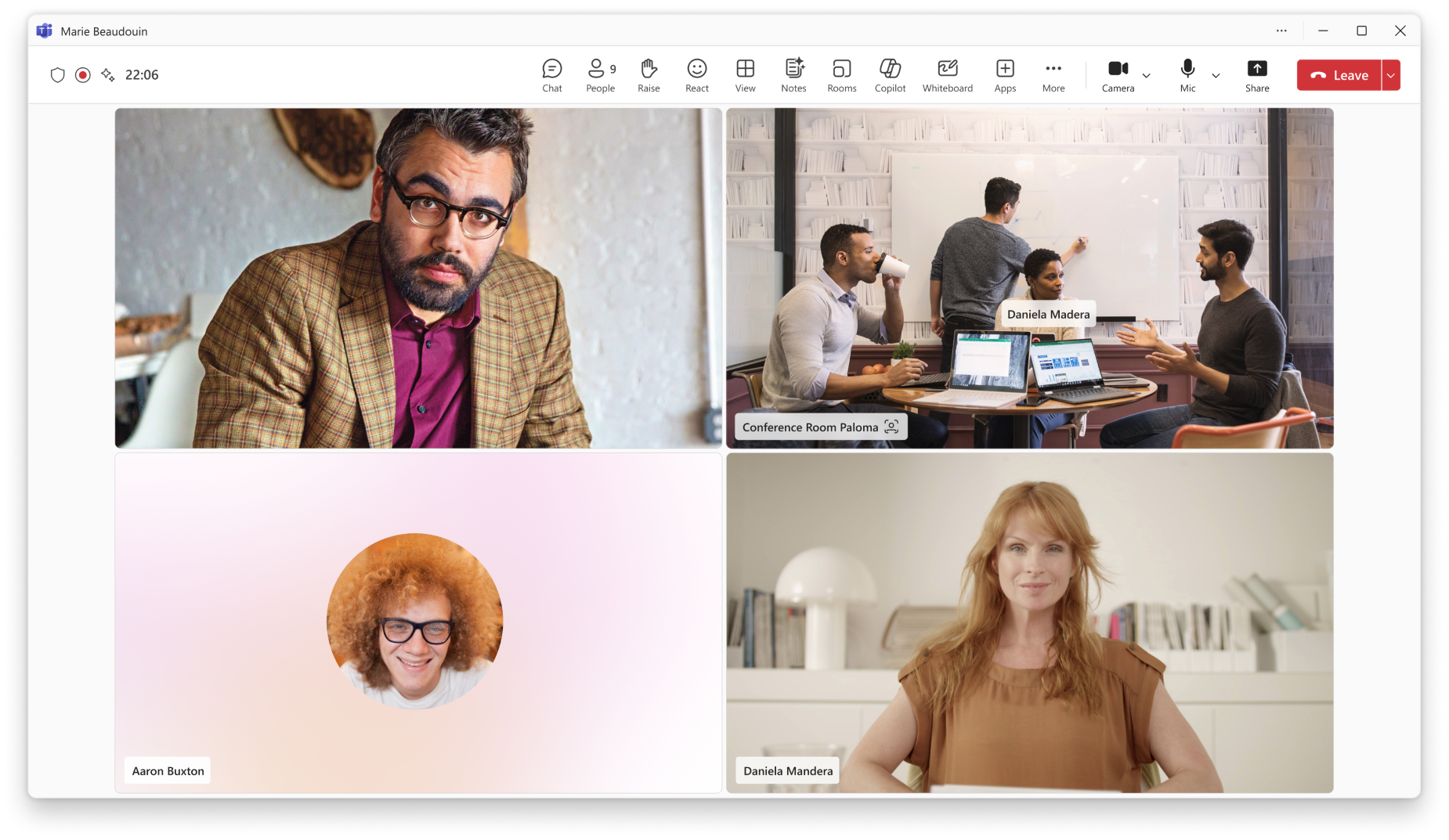
- IntelliFrame will display name labels under identified in-room participants’ video feeds.
- Remote participants can select a label to view a contact card with organizational details.
- The feature is enabled automatically when prerequisites are met.
- Existing Teams meeting policies for voice and face enrollment are honored.
- Participants without enrolled profiles will appear without labels.
- No change occurs if voice and face enrollment is disabled in your organization.
Screenshot – IntelliFrame people labels identify enrolled in-room participants by name, helping remote attendees recognize who’s speaking; selecting a label opens the person’s contact card
[Action Required/Recommendations:]
No action is required to enable this feature.
To maximize value, administrators may:
- Review and confirm Teams Rooms devices:
- Ensure devices are licensed with Teams Rooms Pro.
- Verify use of supported intelligent cameras.
- Review and update meeting policies:
- Allow enrollment:
Set-CsTeamsMeetingPolicy -EnrollUserOverride Enabled.
- Enable name display in rooms:
Set-CsTeamsMeetingPolicy -RoomPeopleNameUserOverride On.
- Encourage users to enroll in voice and face recognition: Teams > Settings > Recognition.
- Update internal documentation and helpdesk guidance.
- Notify users about this capability to drive awareness and adoption.
To disable IntelliFrame people labels, administrators can:
- Turn off in-room name display (labels stop; other IntelliFrame framing unaffected):
Set-CsTeamsMeetingPolicy -RoomPeopleNameUserOverride Off
- Block voice and face enrollment entirely (no one can be identified by name):
Set-CsTeamsMeetingPolicy -EnrollUserOverride Disabled
- Individual users can opt out anytime by removing their profile in Teams > Settings > Recognition.
Learn more:
- What is Microsoft Multi-Stream IntelliFrame and Intelligent Camera? | Microsoft Learn (will be updated before rollout)
- Enable People Recognition on Teams Rooms (voice & face policies) | Microsoft Learn (will be updated before rollout)
- Overview and configuration of voice and face enrollment | Microsoft Learn (will be updated before rollout)
[Compliance considerations:]
| Compliance Area |
Impact |
| Introduces or modifies AI/ML capabilities |
Uses AI-based biometric identification (voice and face profiles) to identify in-room participants. Identification occurs only for users who have consented and completed People Recognition enrollment. |
| Stores new customer data |
This feature does not create new data; it relies on existing voice and face profiles from People Recognition enrollment, governed by the organization’s current configuration. |
| Alters processing of existing customer data |
Participant identity data is processed differently when recognition is enabled. |
| Provides new way of communicating between users |
Labels and contact cards enhance visibility of in-room participants for remote users. |
| Adds or changes admin controls |
Controlled via Teams meeting policies (EnrollUserOverride and RoomPeopleNameUserOverride). |
| Allows users to enable/disable the feature |
Users can enroll or opt out of voice and face profiles in Teams settings. |
|