| MC1478463 | Microsoft Defender for Office 365: Teams user reporting enabled by default |
|---|
| Classification | planForChange | ||||||
|---|---|---|---|---|---|---|---|
| Last Updated | 09/24/2026 15:52:09 | ||||||
| Start Time | 09/24/2026 15:50:15 | ||||||
| End Time | 11/30/2026 08:00:00 | ||||||
| Message Content |
[What and why]
To help organizations identify and respond to security threats in Microsoft Teams, Microsoft Defender for Office 365 will enable Teams user reporting by default. Users can report suspicious messages, calls, and meetings, helping organizations improve detection of phishing, spam, impersonation, malicious content, and other threats.
This capability is available for organizations licensed for Microsoft Defender for Office 365 Plan 1 or Plan 2, Microsoft 365 E5, or Office 365 E5.
[Rollout schedule]
[Impact on your organization]
Who is affected
Platforms/Services
What will happen
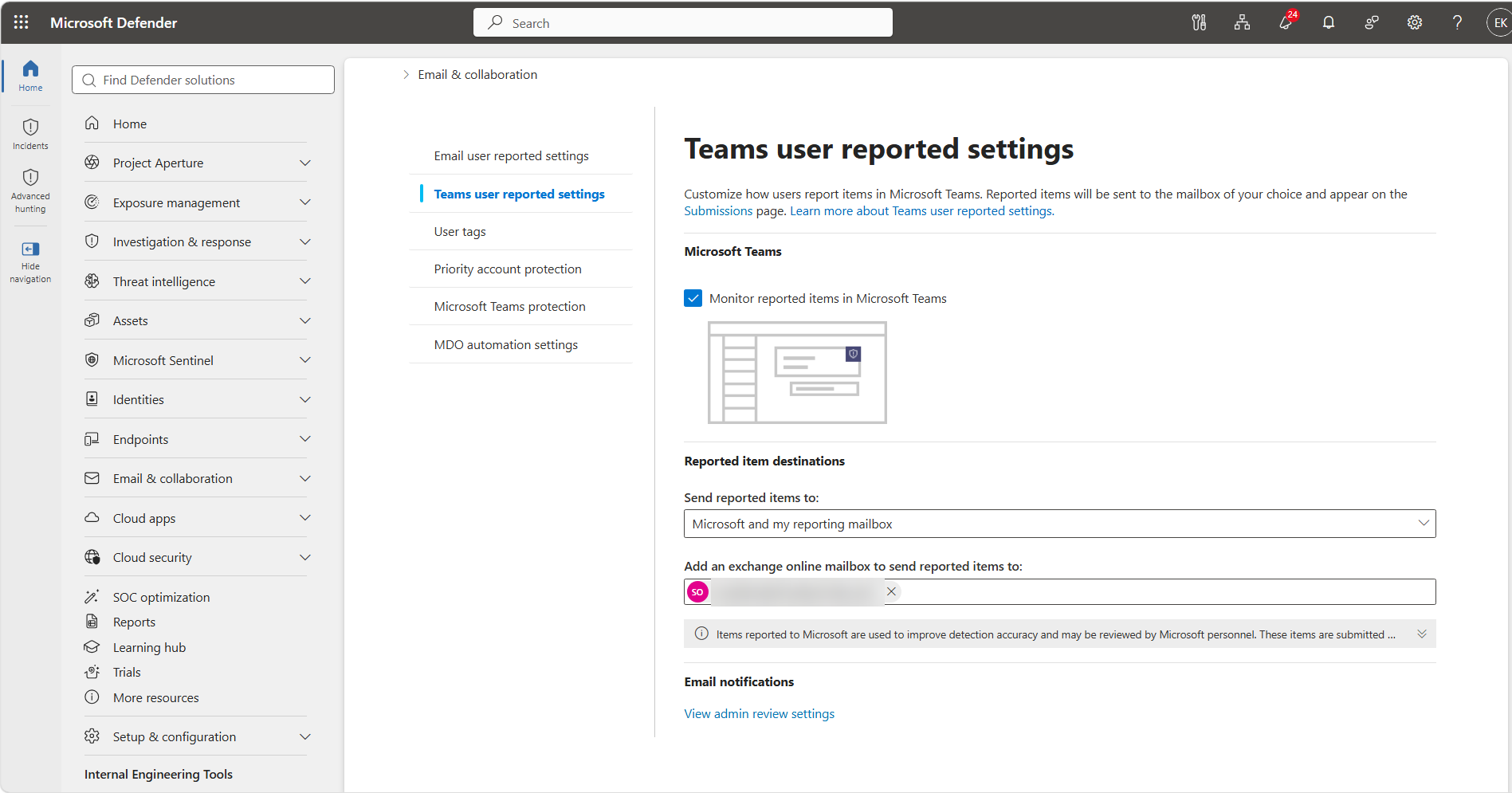
Image 1 – Teams user reported settings view:
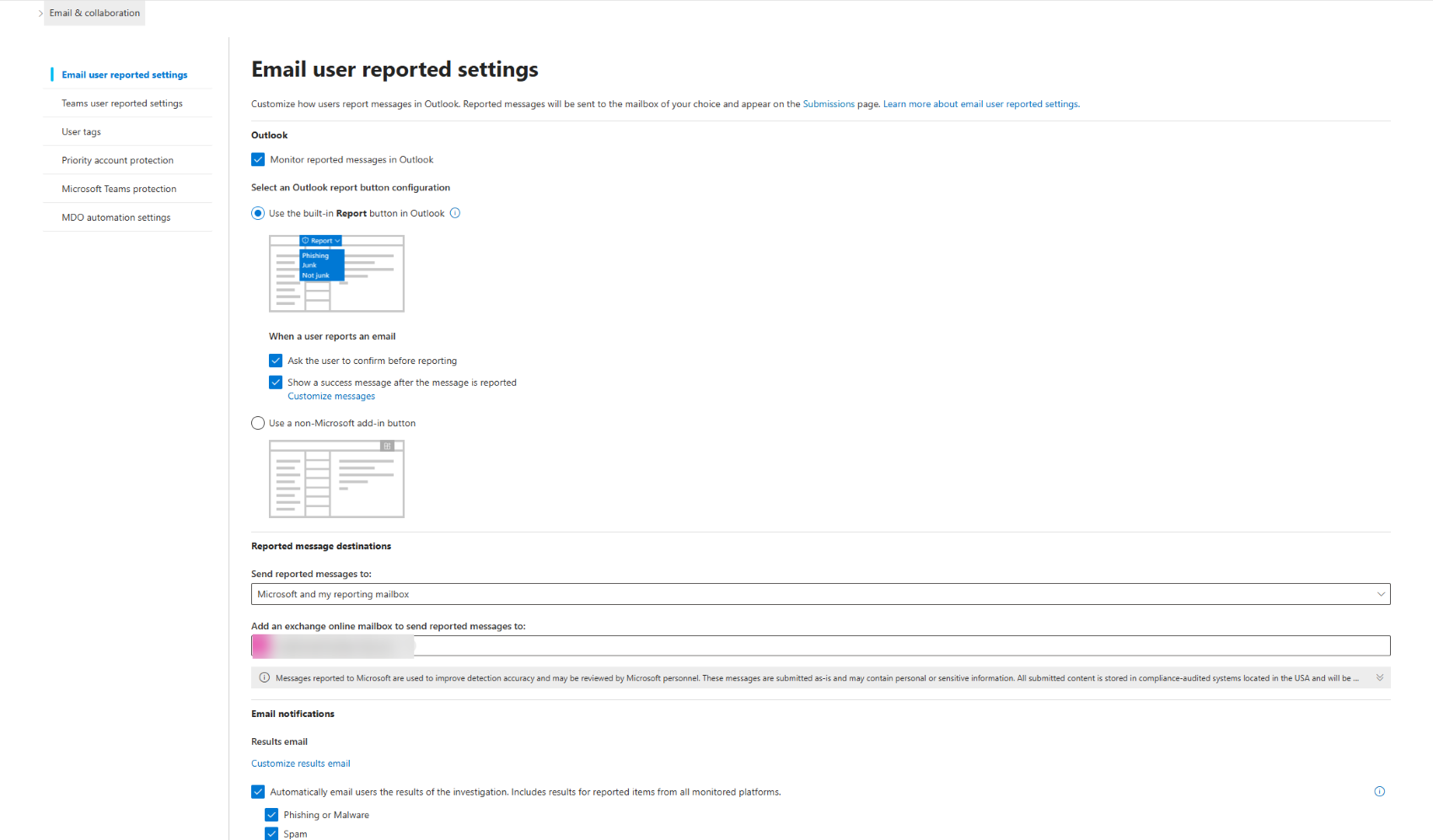
Image 2 – Email user reported settings view:
[Action required/Recommendations]
Review your Teams user-reported settings before October 25, 2026, if you do not want Teams user reporting enabled by default or want reported content sent to a destination other than Microsoft.
Recommended actions:
Learn More
[Compliance considerations]
|
||||||
| Machine Translation |
[何となぜ]
組織がMicrosoft Teamsのセキュリティ脅威を特定し対応できるようにするため、Microsoft Defender for Office 365はデフォルトでTeamsユーザー報告を有効にします。ユーザーは疑わしいメッセージ、電話、会議を報告でき、組織がフィッシング、スパム、なりすまし、悪意のあるコンテンツ、その他の脅威の検出を改善するのに役立ちます。
この機能は、Microsoft Defender for Office 365 Plan 1またはPlan 2、Microsoft 365 E5、またはOffice 365 E5のライセンスを持つ組織で利用可能です。
[展開スケジュール]
[組織への影響]
影響を受ける人物
プラットフォーム/サービス
何が起こるのか
画像1 – Teamsユーザー報告設定ビュー:
画像2 – メールユーザー報告設定表示:
[行動必要/提言]
Teamsユーザーレポートをデフォルトで有効にしたい場合や、報告されたコンテンツをMicrosoft以外の宛先に送りたい場合は、2026年10月25日までにTeamsのユーザー報告設定を確認してください。
推奨される行動:
詳細はこちら
[コンプライアンスの考慮事項]
|