| MC1515940 | Microsoft OneDrive: Copilot actions in the File Explorer context menu are being retired |
|---|
| Classification | planForChange |
|---|---|
| Last Updated | 10/20/2026 17:35:15 |
| Start Time | 10/19/2026 23:31:42 |
| End Time | 01/01/2027 08:00:00 |
| Message Content |
[What and why]
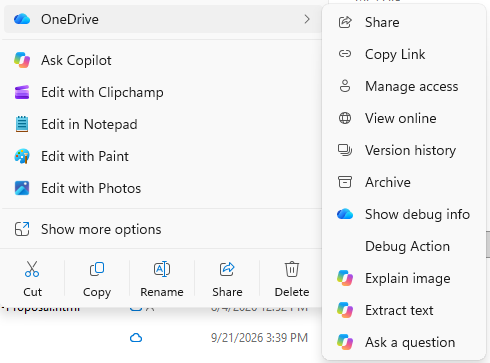
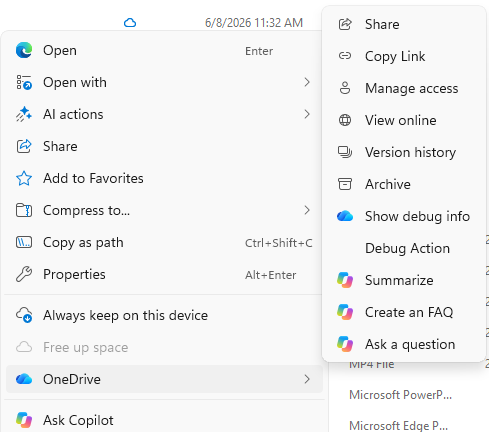
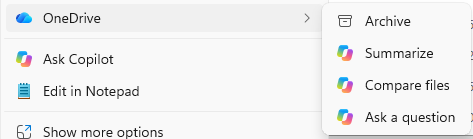
We’re simplifying how people use Copilot with their OneDrive files in File Explorer. As part of this change, we’re retiring the OneDrive Copilot Summarize, Create FAQ, Compare Files, Ask a question, Explain image, Explain images, Compare images, Extract text actions from the File Explorer context menu.
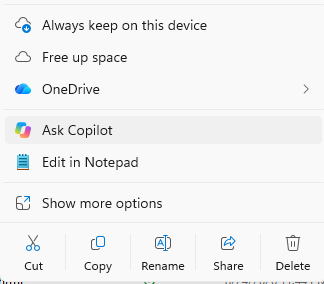
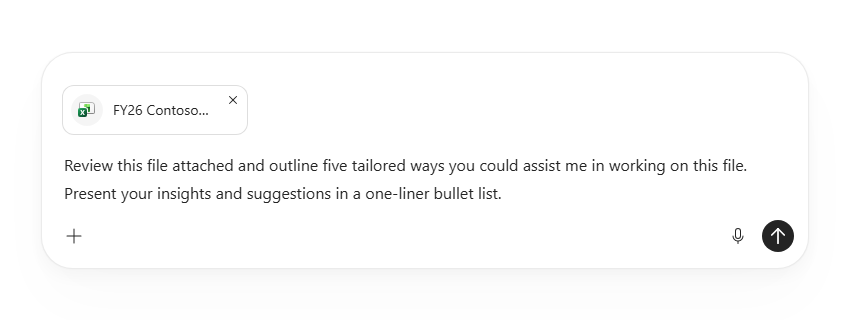
Users can continue to work with their OneDrive files in Copilot from one central place by right-clicking a file and selecting Ask Copilot, or by hovering over a file in File Explorer Home and selecting the Copilot icon. The OneDrive Copilot actions will also remain available in the OneDrive activity center.
[Rollout schedule]
[Impact on your organization]
Who is affected
Platforms and services
What will happen
Simplified Copilot experience for OneDrive files in File Explorer
Retired context menu actions for OneDrive files in File Explorer
[Action required and recommendations]
No administrative action is required. We recommend that you notify users about this change and update any training or help desk documentation that references the retiring File Explorer context menu actions.
|
| Machine Translation |
[何となぜ]
ファイルエクスプローラーでOneDriveファイルでCopilotを使う方法を簡素化しています。この変更の一環として、OneDrive Copilotの 要約、 FAQ作成、 ファイル比較、 質問、画像説明、画像説明、 画像比較、テキストアクションの抽出機能をファイルエクスプローラーのコンテキストメニューから廃止します。
ユーザーはファイルを右クリックして 「Ask Copilot」を選択するか、ファイルエクスプローラーホームでファイルにカーソルを合わせてCopilotアイコンを選択することで、Copilot内のOneDriveファイルの操作を一つの中央から続けられます。OneDriveのCopilotアクションもOneDriveアクティビティセンターで利用可能です。
[展開スケジュール]
[組織への影響]
影響を受ける人物
ホームとサービス
何が起こるのか
ファイルエクスプローラーにおけるOneDriveファイルの簡易Copilot体験
ファイルエクスプローラーのOneDriveファイルのコンテキストメニュー操作は廃止されました
[行動が必要と提言]
管理上の対応は必要ありません。この変更についてユーザーに通知し、廃止するファイルエクスプローラーのコンテキストメニューアクションを参照するトレーニングやヘルプデスクのドキュメントを更新することをお勧めします。
|